FPV Wiring Diagram for Beginners: A Safe Bench Map Before Soldering
An evergreen FPVLovers guide focused on turning wiring confusion into a safe bench plan.
FPV Wiring Diagram for Beginners: A Safe Bench Map Before Soldering
Welcome to the thrilling world of FPV drones! The dream of soaring through the skies, performing acrobatic maneuvers, and capturing breathtaking footage is closer than you think. But for many beginners, the journey from a box of components to a fully functional FPV quadcopter can seem daunting, especially when faced with a tangle of wires and cryptic diagrams. You're not alone! The thought of wiring up a complex FPV drone can feel like deciphering ancient hieroglyphs.
But what if there was a clear, visual, and foolproof guide to make your first FPV build smooth and successful? This comprehensive guide provides an easy-to-understand FPV wiring diagram for beginners, breaking down every connection step-by-step. We'll demystify each component, walk you through the essential tools, and highlight common pitfalls to ensure a smooth build. Say goodbye to confusion and hello to your first flight!
Demystifying Your FPV Drone's Core Components
Before we dive into the wiring, let's understand the essential building blocks of your FPV drone. Think of them as the vital organs, each playing a crucial role in bringing your quad to life.
The Brain: Flight Controller (FC)
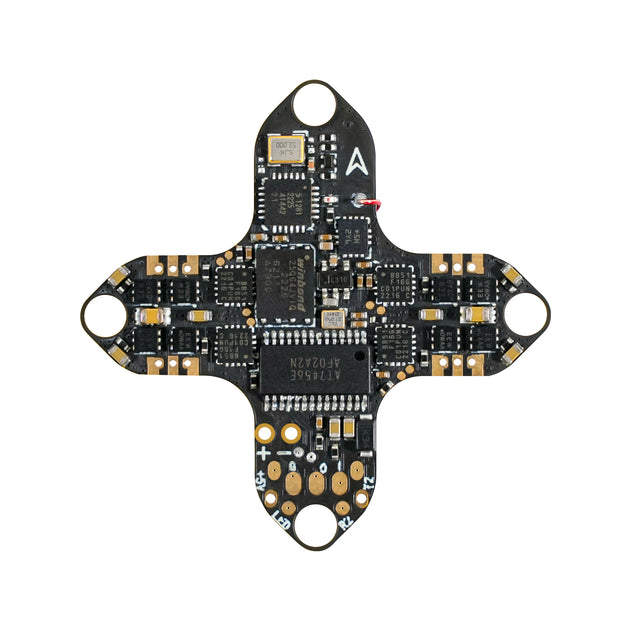
The Flight Controller is the central nervous system of your FPV drone. It takes inputs from your receiver (your commands), processes data from gyroscopes and accelerometers, and sends commands to the ESCs to control the motors. Modern FCs run powerful firmware like Betaflight or ArduPilot, allowing for extensive tuning and customization.
- Real-world tip: Look for FCs with integrated OSD (On-Screen Display) for displaying flight data in your goggles. Popular beginner-friendly options include the SpeedyBee F405 V3 Flight Controller or the HGLRC F722 FC, which offer robust performance and clear pinout diagrams.
The Muscles: ESCs & Motors
The Electronic Speed Controllers (ESCs) are the muscles that translate the FC's commands into actual motor power. Each ESC controls one motor, telling it how fast to spin. Motors, typically brushless, come in various sizes (e.g., 2207, 2306) and Kv ratings (e.g., 1750Kv, 2450Kv) which determine their speed-to-voltage ratio.
- Real-world tip: For beginners, a 4-in-1 ESC is highly recommended. These units integrate all four ESCs onto a single board, simplifying wiring significantly as you only need to connect one main power lead and a single signal harness to the FC. A great example is the SpeedyBee 50A 30x30 4-in-1 ESC.
The Eyes & Voice: VTX & Camera
This is where the "FPV" (First Person View) comes from!
- FPV Camera: This is your drone's eye, capturing the live video feed. Cameras vary in resolution, low-light performance, and latency. Popular choices like the RunCam Phoenix 2 or Caddx Ratel 2 offer excellent image quality for their price.
- Video Transmitter (VTX): The VTX is the voice that sends the camera's video feed wirelessly to your FPV goggles. VTXs operate on different power levels (mW) and frequencies, affecting range and penetration. For analog systems, VTXs like the Rush Tank Mini or AKK FX2 Ultimate are common. If you're going digital, units like the DJI O3 Air Unit or Walksnail Avatar HD system combine camera and VTX into one.
The Ears: Receiver (RX)
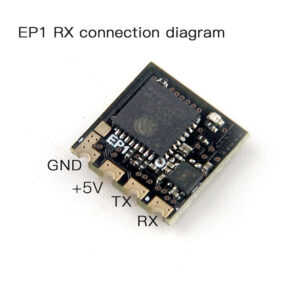
The Receiver is how your drone listens to your commands from your radio transmitter. It translates your stick movements and switch flips into digital signals that the FC can understand. Different radio systems use different protocols (e.g., CRSF for Team BlackSheep Crossfire and ExpressLRS, SBUS for FrSky).
- Real-world tip: For robust and long-range control, ExpressLRS (ELRS) and TBS Crossfire are dominant choices. An Immortal T ELRS receiver or a TBS Crossfire Nano RX are excellent, compact options that connect easily to your FC via a UART port.
Essential Tools & Safety First for FPV Wiring
Before you start soldering, gather your tools and prepare your workspace. Safety is paramount!
Your Workbench Arsenal: Soldering Gear
Soldering is a fundamental skill in FPV. Good tools make all the difference.
- Soldering Iron: An adjustable temperature soldering iron (e.g., TS101 or Pinecil) with a fine tip is crucial. Aim for 350-400°C for most FPV work.
- Solder: High-quality leaded solder (60/40 or 63/37 tin/lead) with a rosin core is easiest for beginners (e.g., Kester 44). A thin gauge (0.8mm or 0.5mm) is ideal for small pads.
- Flux: Solder flux paste or liquid helps solder flow smoothly and prevents cold joints.
- Desoldering Braid/Pump: Essential for correcting mistakes and removing excess solder.
- Solder Tip Cleaner: Brass wool or a wet sponge keeps your iron tip clean and effective.
Other Handy Tools for a Clean Build
- Multimeter: Invaluable for checking continuity, voltage, and identifying shorts. A must-have for troubleshooting.
- Wire Strippers & Flush Cutters: For clean wire preparation.
- Heat Shrink Tubing: For insulating soldered connections.
- Zip Ties & Double-Sided Tape: For securing components.
- Helping Hands: A stand with alligator clips to hold wires and PCBs while you solder.
- Isopropyl Alcohol (IPA) & Cotton Swabs: For cleaning flux residue.
Crucial Safety Precautions Before You Start
- Ventilation: Soldering fumes are toxic. Work in a well-ventilated area or use a fume extractor.
- Eye Protection: Solder can splatter. Always wear safety glasses.
- Clear Workspace: Keep your area tidy to prevent accidental shorts or damage.
- No LiPo Connected: NEVER connect a LiPo battery to your drone while soldering or working on electronics.
- Smoke Stopper: This is your best friend! A smoke stopper is a simple device that limits current if there's a short circuit, preventing damage to your components (and potentially a fire) during initial power-up. Always use a smoke stopper for your first power-up!
The Master FPV Wiring Diagram: Understanding the Flow
While we can't provide a literal interactive diagram here, we'll explain the conceptual "master diagram" that underpins all FPV wiring. Imagine your drone's components connected in a logical flow of power, signal, and ground.
Power Distribution: Fueling Your Drone
Every component needs power. Your LiPo battery provides the main voltage (VBAT).
- VBAT: This is the raw battery voltage, typically supplied directly to the 4-in-1 ESC, which then powers the FC. Some VTXs can also take VBAT directly.
- 5V & 3.3V: Your FC has built-in voltage regulators (BECs) that step down VBAT to a stable 5V (for RX, FPV camera, some VTXs, GPS, LEDs, buzzer) and 3.3V (for internal FC components, some RXs). Always check your component's required voltage! Connecting a 5V component to a VBAT pad will fry it.
Signal Flow: Communication is Key
Signals are the commands and data flowing between components.
- Receiver to FC: Your RX sends your stick commands to the FC, usually via a UART (Universal Asynchronous Receiver/Transmitter) port. For ELRS/Crossfire, this is typically a TX/RX pair on a UART.
- FC to ESC: The FC sends motor control signals to the ESCs via protocols like DSHOT. On a 4-in-1 ESC, this is often a dedicated connector with multiple signal lines.
- FC to VTX: For OSD control and changing VTX settings via your goggles (SmartAudio or TrampHV), a signal wire from a UART TX pad on the FC connects to the VTX.
- Camera to FC: The FPV camera's video output connects to a dedicated Video In pad on the FC. The FC can then overlay OSD information (like battery voltage, flight time) onto this video stream before sending it to the VTX.
Grounding Principles: The Foundation of Stability
Every electrical circuit needs a complete loop. This means every powered component must have its positive (VCC) connected to a power source AND its negative (GND) connected to a common ground.
- Common Ground: All components should ideally share a common ground point. This prevents "ground loops" which can introduce noise into your video feed or cause erratic behavior.
- Practical Tip: When wiring, always connect the ground wire first, then the power, then the signal. This ensures a stable reference.
Step-by-Step FPV Wiring for Beginners: Your First Connections
Let's get practical! Here's a typical wiring sequence for a beginner FPV build using a 4-in-1 ESC and an FC stack. Always refer to your specific FC and ESC manuals for exact pinouts.
Connecting Your Flight Controller to ESCs & Motors
This is often the first and most critical connection.
- Mount the Stack: Secure your 4-in-1 ESC to the frame, followed by the FC, using nylon standoffs and screws. Ensure correct orientation (arrow usually points forward).
- ESC to FC Harness: Most 4-in-1 ESCs come with a wire harness that connects directly to a specific port on the FC. This harness typically includes VBAT, GND, 4 motor signal wires (M1, M2, M3, M4), and sometimes current sensor and telemetry wires. Solder this harness according to your FC/ESC manual.
- Motors to ESC: Solder the three motor wires to the three large pads on each corner of the 4-in-1 ESC. There is no strict polarity here, but the order determines motor rotation. Don't worry about rotation now; you can reverse it in Betaflight later. Ensure strong, clean solder joints.
- Practical Tip: Keep motor wires as short as possible for a clean build, but leave enough slack for future maintenance. Use heat shrink to cover motor solder joints if exposed.
Wiring Up Your VTX and FPV Camera
This brings your FPV video feed to life.
- FPV Camera:
- Video Out: Solder the camera's video output wire to the "Video In" or "CAM" pad on your FC.
- GND: Solder the camera's ground wire to a "GND" pad on your FC.
- VCC (Power): Solder the camera's power wire to a "5V" or "9V" pad on your FC, depending on your camera's voltage requirement. Most modern cameras can handle 5-12V.
- VTX (Video Transmitter):
- Video In: Solder the "Video Out" pad from your FC to the "Video In" pad on your VTX. This is how the VTX gets the OSD-overlayed video from the FC.
- GND: Solder the VTX's ground wire to a "GND" pad on your FC.
- VCC (Power): Solder the VTX's power wire to a "9V" or "VBAT" pad on your FC, depending on your VTX's voltage requirement and power output. Always check the VTX manual.
- SmartAudio/TrampHV (Signal): Solder the VTX's SmartAudio (or TrampHV) wire to a "TX" pad on an unused UART on your FC (e.g., TX1, TX2, TX3). This allows you to change VTX settings via Betaflight OSD.
- Practical Tip: For critical connections like VTX power, ensure good, robust solder joints to avoid intermittent video issues.
Receiver Setup: Binding Your Drone to Your Radio
This is how you control your drone.
- RX Power & Ground: Solder the receiver's "VCC" (or "5V") wire to a "5V" pad on your FC, and its "GND" wire to a "GND" pad on your FC.
- RX Signal: Solder the receiver's signal wire (e.g., "S", "RX1", "CRSF") to a "RX" pad on an unused UART on your FC (e.g., RX2, RX3). Remember, if you use a TX/RX pair for CRSF/ELRS, you'll connect your RX's TX pad to the FC's RX pad, and your RX's RX pad to the FC's TX pad on the same UART.
- Practical Tip: Always double-check which UART you're using in your FC manual and configure Betaflight accordingly. For ELRS/Crossfire, a dedicated UART is usually preferred.
Battery Lead, Buzzer, and LED Connections
The final touches for power and alerts.
- Battery Lead: Solder your main battery connector (e.g., XT60 or XT30) wires to the large "VBAT" and "GND" pads on your 4-in-1 ESC. Ensure you use appropriate gauge wire (e.g., 12AWG for XT60, 16AWG for XT30) and maintain correct polarity.
- CRITICAL: This is the most important polarity check. Reversing this will instantly fry your ESC and potentially your FC.
- Buzzer: Solder the positive (+) wire of your buzzer to the "BEEP" or "BUZ+" pad on your FC, and the negative (-) wire to the "GND" or "BUZ-" pad. Polarity matters here.
- LEDs (Optional): If adding LED strips, connect them to the "LED_STRIP" pad, "5V", and "GND" pads on your FC.
Common FPV Wiring Mistakes and How to Avoid Them
Even experienced pilots make mistakes. Knowing common pitfalls helps you avoid them.
The Dreaded Polarity Reversal
Connecting positive where negative should be, or vice-versa. This is the quickest way to turn new components into expensive paperweights.
- Avoidance: Always double-check your FC/ESC diagrams. Use a multimeter to check continuity and voltage before connecting power. Always use a smoke stopper for your first power-up after wiring.
Cold Solder Joints and Bridged Pads
- Cold Solder Joint: A poor connection where the solder hasn't properly bonded to the pad or wire, resulting in a dull, lumpy appearance. Can cause intermittent issues or complete failure.
- Bridged Pads: Solder accidentally connecting two adjacent pads that shouldn't be connected, creating a short circuit.
- Avoidance: Use enough flux. Ensure your soldering iron is at the correct temperature. Heat the pad and wire simultaneously, then apply solder. Use a magnifying glass to inspect joints. If you bridge pads, use desoldering braid to clean it up.
Loose Connections and Intermittent Issues
Vibration is an FPV drone's constant companion. Wires that aren't properly secured can wiggle loose, causing frustrating intermittent problems.
- Avoidance: Plan your wire lengths to be just right – not too long, not too short. Use heat shrink over exposed solder joints. Secure wires with zip ties or a dab of hot glue where appropriate, especially for antenna connections.
Pre-Flight Checks: Testing Your Connections
Before you even think about plugging in a LiPo (even with a smoke stopper), perform these checks:
- Visual Inspection: Look for any stray strands of wire, solder bridges, or damaged insulation.
- Multimeter Continuity Check: With no power, use your multimeter in continuity mode (beeps for a connection) to check for shorts between VBAT and GND pads on your ESC and FC. It should NOT beep. Check between 5V and GND, etc.
- Smoke Stopper Test: Connect your LiPo through a smoke stopper. If it lights up brightly or stays lit, you have a short. Disconnect immediately and troubleshoot. If it flashes briefly and goes out, you're likely good.
- Betaflight Connection: Connect your FC to your computer via USB. Ensure Betaflight Configurator recognizes it, and all sensors (gyro, accelerometer) are working. Check that your receiver is detected and responding to your radio inputs.
Your FPV Build Checklist: What You'll Need
Here's a list of components to help you plan your first build.
Essential FPV Drone Components Checklist
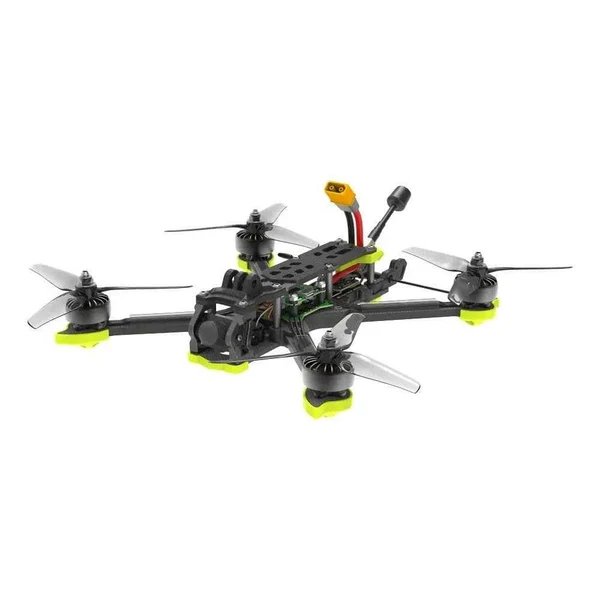
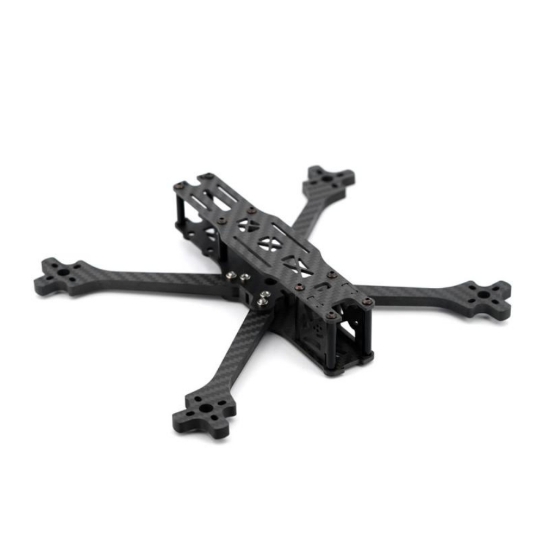
- Frame: (e.g., 5-inch freestyle frame like iFlight Nazgul Evoque F5D or GEPRC Mark5)
- Flight Controller (FC): (e.g., SpeedyBee F405 V3)
- 4-in-1 ESC: (e.g., SpeedyBee 50A 30x30)
- Brushless Motors (4x): (e.g., EMAX Eco II 2207 1700KV)
- Propellers: (e.g., Gemfan 51433 or HQProp 5x4.3x3)
- FPV Camera: (e.g., RunCam Phoenix 2 or Caddx Ratel 2)
- Video Transmitter (VTX) & Antenna: (e.g., Rush Tank Mini + Lollipop Antenna)
- Receiver (RX) & Antenna: (e.g., Immortal T ELRS or TBS Crossfire Nano RX)
- LiPo Batteries: (e.g., 6S 1300mAh for 5-inch)
- LiPo Charger: (e.g., ISDT Q6 Nano)
- FPV Goggles: (e.g., Eachine EV800D for analog, Skyzone SKY04X for high-end analog, or DJI Goggles 2/V2 for digital)
- Radio Transmitter: (e.g., Radiomaster Zorro or TX16S Mark II)
- Tools: As listed in the "Essential Tools" section.
Recommended Beginner-Friendly Gear
For your very first drone, consider a Bind-N-Fly (BNF) or Ready-To-Fly (RTF) kit. While this guide focuses on building, an RTF kit like the Tinyhawk III Plus or a BNF iFlight Nazgul Evoque can get you flying faster and help you understand how everything works before tackling a full build. If you're set on building, a SpeedyBee F405 V3 Stack (FC + ESC) is a fantastic, well-documented option for beginners.
Where to Source Your Parts
Reputable FPV retailers include GetFPV, RaceDayQuads, Pyrodrone, and RDQ in the US/Europe. For more budget-friendly options, Banggood and AliExpress are popular, but be mindful of shipping times and customer service.
Frequently Asked Questions About FPV Wiring
How do I know which wire goes where on my FPV flight controller?
Always consult the manual or pinout diagram for your specific Flight Controller and ESC. These diagrams clearly label each pad (e.g., 5V, GND, RX, TX, Video In, Motor 1). Never guess!
What's the difference between 5V, VBAT, and GND connections?
- VBAT: This is the direct, unregulated voltage from your LiPo battery. It changes as your battery drains. Used for high-power components like the main ESC power, and sometimes VTXs.
- 5V: This is a regulated 5-volt output from the FC's built-in BEC (Battery Eliminator Circuit). It's stable regardless of battery voltage and is used for sensitive electronics like your receiver, FPV camera, GPS, and some VTXs.
- GND: This is the common ground, the negative return path for all electrical circuits. Every component needs a ground connection.
Can I wire my FPV drone without soldering?
While some newer components offer plug-and-play connectors, a fully solder-free FPV drone build is generally not feasible for custom quads. Soldering provides the most reliable, durable, and space-efficient connections. For beginners, practicing soldering on scrap wire is highly recommended before tackling your drone.
My FPV drone isn't powering on after wiring, what should I check?
- Smoke Stopper: Is it glowing brightly? If so, you have a short.
- Polarity: Double-check all power connections (VBAT, 5V) for correct positive/negative orientation.
- Main Battery Lead: Is the XT60/XT30 soldered correctly to the ESC?
- Cold Solder Joints: Inspect all solder joints for dullness or cracks. Re-flow any suspicious joints.
- Continuity: Use a multimeter to check for continuity between power and ground on your FC and ESC. There should be no direct short.
- FC USB: Does the FC power on and connect to Betaflight via USB? This helps isolate if the issue is with the FC's main power or other components.
How can I make my FPV wiring neat and durable?
- Plan Ahead: Before soldering, lay out your components and visualize wire routing.
- Measure & Cut: Cut wires to the appropriate length – not too long to create clutter, not too short to put strain on joints.
- Heat Shrink: Use heat shrink tubing over all exposed solder joints, especially power wires.
- Zip Ties & Hot Glue: Secure wires and components to prevent movement and strain from vibrations.
- Clean Up: After soldering, clean flux residue with isopropyl alcohol. It looks better and prevents potential long-term issues.
Conclusion
Congratulations! You've navigated the intricate world of FPV wiring diagram for beginners and are now equipped with the knowledge to confidently build your own FPV drone. Remember, patience and attention to detail are your best friends. By following these visual, step-by-step instructions and understanding common pitfalls, you're well on your way to a successful and foolproof first flight.
Building your own FPV drone is an incredibly rewarding experience that deepens your understanding of how these amazing machines work. Now, grab your soldering iron, take a deep breath, and embark on the exciting journey of building your very own FPV masterpiece! Share your build progress and first flight experiences with us at fpvlovers.com.tr – we can't wait to see your creation take to the skies!
Copyright-safe media generated locally by FPVLovers