FPV Pilot Roadmap: From Simulator to First Flight
The complete beginner-first path from simulator practice to your first real FPV flight.
FPV Pilot Roadmap: From Simulator to First Flight
Unleash Your Inner Pilot: Your Personalized FPV Roadmap Begins Here
Have you ever dreamt of soaring through the sky like a bird, weaving through obstacles with unparalleled agility, or capturing breathtaking aerial footage that feels straight out of a movie? Welcome to the exhilarating world of FPV (First-Person View) drones! This isn't just a hobby; it's a passion, a skill, and an art form that offers an immersive experience unlike any other.
The Call of the Sky: Why FPV is More Than Just a Hobby
FPV flying isn't about simply hovering a camera in the air. It's about becoming one with your drone, feeling every turn, dive, and acceleration as if you were truly inside the cockpit. The rush of adrenaline, the challenge of mastering complex maneuvers, and the sheer joy of creative expression make FPV an incredibly rewarding pursuit. It's a journey of continuous learning, pushing boundaries, and connecting with a vibrant global community.
Navigating the FPV World: What This Roadmap Will Cover
The FPV landscape can seem daunting at first, with countless gear options, technical jargon, and different flying styles. This comprehensive FPV roadmap is designed to cut through the noise, providing a clear, step-by-step FPV beginner guide that will take you from curious newcomer to confident pilot. We'll cover everything from essential equipment and simulator training to advanced flying techniques and budgeting tips.
Tailoring Your Journey: Finding Your Path in First-Person View
Every pilot's fpv learning path is unique. Whether you dream of high-speed racing, graceful freestyle acrobatics, or cinematic exploration, this guide will help you understand the different facets of FPV and how to personalize your FPV journey. We'll focus on a skill-focused & budget-aware approach, ensuring you make smart choices as you progress.
Understanding the FPV Landscape: What is FPV and Why Fly It?
The Immersive Thrill of First-Person View
At its core, FPV involves flying a drone while wearing goggles that display a live video feed from the drone's onboard camera. This creates an incredibly immersive experience, giving you the sensation of actually flying. Unlike traditional line-of-sight drones, FPV offers unparalleled control and precision, allowing for dynamic maneuvers and creative freedom.
Different FPV Disciplines: Freestyle, Racing, Cinematic, & More
The FPV world is diverse, offering several exciting disciplines:
- Freestyle: This is perhaps the most popular style, focusing on creative, acrobatic maneuvers like flips, rolls, power loops, and dives through environments. It's all about expression and flow.
- Racing: High-speed competition through a defined course with gates and flags. Precision, speed, and strategic lines are key.
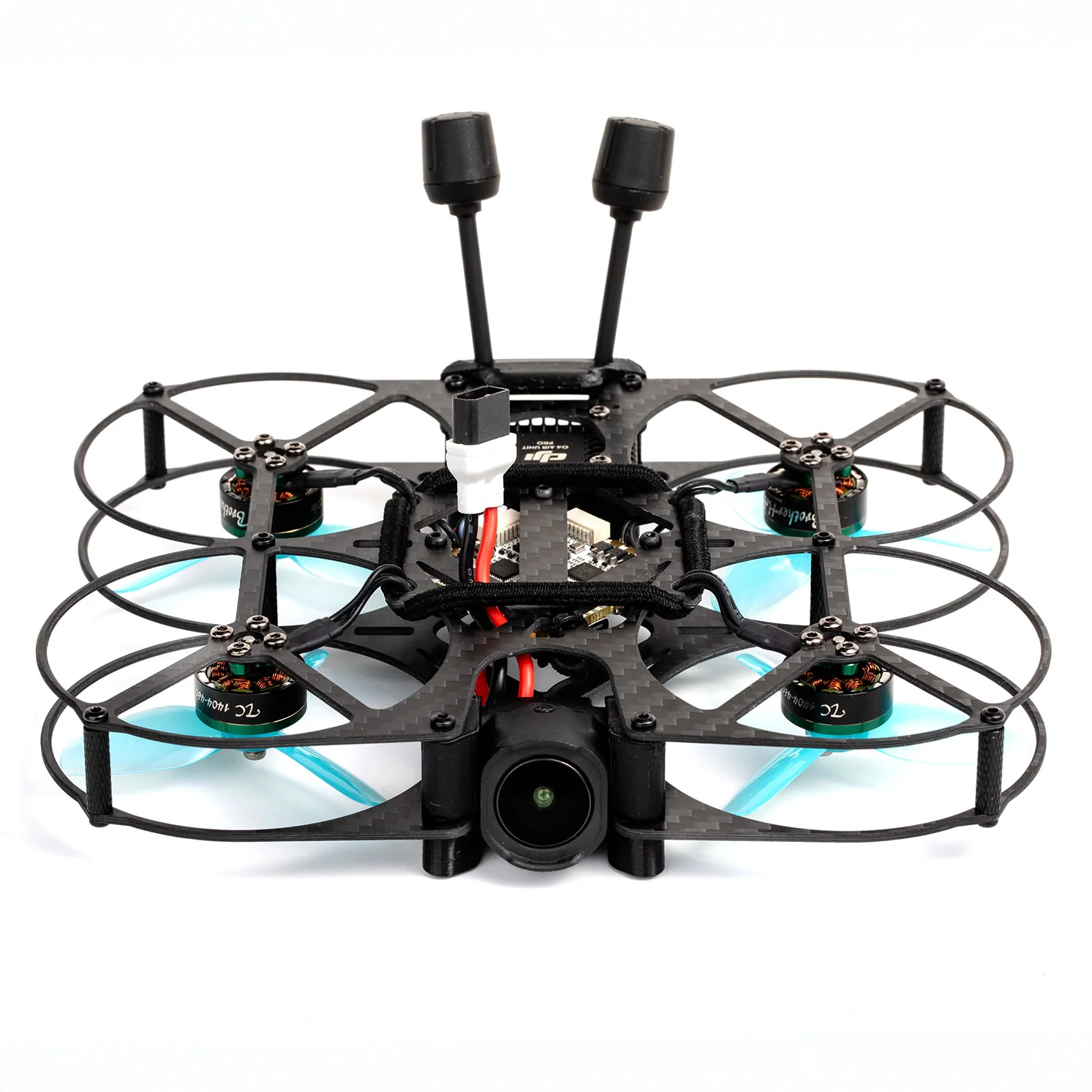
- Cinematic FPV: Using FPV drones to capture smooth, dynamic, and often breathtaking video footage for films, commercials, or personal projects. This often involves larger, more stable drones or specialized "cinewhoops."
- Long-Range/Exploration: Flying drones over vast distances to explore landscapes and capture stunning vistas, often requiring specialized gear for extended flight times and robust video links.
Is FPV for You? Assessing Your Interest and Commitment
FPV requires dedication, patience, and a willingness to learn. You'll encounter technical challenges, crashes (it's part of the learning curve!), and continuous opportunities to hone your skills. If you're excited by the prospect of mastering a complex skill, joining a passionate community, and experiencing flight in a truly unique way, then FPV is definitely for you!
The Essential First Steps: Gearing Up Smart for Your FPV Journey
Before you even think about flying, you need the right gear. Investing wisely from the start will save you headaches and money down the line.
Your Command Center: Radios & Transmitters Explained
Your radio transmitter (often simply called a "radio") is your primary interface with the drone. It sends your stick commands to the drone, dictating its every move.
- Key Features: Choose a radio with gimbals (the sticks) that feel comfortable and precise. Look for multi-protocol support (e.g., ELRS, Crossfire, TBS Tracer) for compatibility with various drones.
- Beginner Recommendations: The Radiomaster Zorro and Radiomaster Boxer are excellent choices, offering ergonomic designs, quality gimbals, and multi-protocol options at competitive price points. The FrSky X-Lite Pro is another solid, compact option.
- Pro Tip: Spend time getting to know your radio. Customize switch assignments and stick tensions to suit your preferences. This familiarity will translate directly to better control in the air.
Seeing the World: FPV Goggles & Displays
Your FPV goggles are your window into the drone's perspective. They receive the live video feed.
- Analog vs. Digital:
- Analog: More affordable, lower latency, but often lower resolution and susceptible to signal interference. Great for starting out. Examples: Eachine EV800D (box goggles), Skyzone SKY04X (goggles).
- Digital: Higher resolution, clearer image, but generally more expensive and can have slightly higher latency (though rapidly improving). DJI FPV Goggles V2/Goggles 2 and Walksnail Avatar Goggles X are leading options, paired with their respective digital video systems like the DJI O3 Air Unit or Walksnail Avatar HD system.
- Beginner Recommendation: For a budget-friendly start, a good pair of analog box goggles like the Eachine EV800D is excellent. If your budget allows, jumping straight to a digital system like DJI's (with the O3 Air Unit) offers a stunning visual experience from day one.
Powering Your Flight: Batteries, Chargers, and Safety
FPV drones are powered by LiPo (Lithium Polymer) batteries. Understanding them is crucial for both performance and safety.
- LiPo Basics: Batteries are rated by cell count (S - e.g., 4S, 6S) and capacity (mAh). Higher S means more power, higher mAh means longer flight time.
- Chargers: Invest in a quality balance charger like the ToolkitRC M4AC or ISDT Q6 Nano. These safely charge and balance your LiPo cells, extending battery life.
- Safety First: Always charge batteries on a fire-resistant surface, never leave them unattended, and store them in LiPo safe bags. Damaged batteries are a fire hazard.
The FPV Drone Itself: From Tiny Whoops to 5-Inch Beasts
The drone is where the magic happens!
- Tiny Whoops/Cinewhoops: Small, ducted drones (like the BetaFPV Meteor series) perfect for indoor flying or gentle outdoor cruising. Great for learning basic controls in a safe environment.
- 3-Inch to 3.5-Inch Freestyle/Cinematic: A versatile category, offering a good balance of power, maneuverability, and durability. Drones like the CineLog35 are fantastic for cinematic work.
- 5-Inch Freestyle/Racing: The most common size for outdoor freestyle and racing. These are powerful, agile, and robust. Examples include the iFlight Nazgul5 V3 or GEPRC Mark5.
Pro Tip: Don't buy a powerful 5-inch drone as your first real quad. Start small, learn the ropes, and upgrade as your skills develop.
Mastering the Controls: Simulator Training & Basic Flight Skills
This is arguably the most critical step in your FPV learning path. Do NOT skip the simulator!
Why FPV Simulators are Non-Negotiable for Beginners
FPV drones are incredibly agile and can be easily damaged. A simulator allows you to crash countless times without breaking a single component or spending money on repairs. It builds muscle memory, teaches you control inputs, and familiarizes you with "acro mode" (manual mode), which is essential for true FPV flying.
Recommended FPV Simulators and Essential Training Drills
- Top Simulators:
- Velocidrone: Known for its realistic physics, excellent for racing.
- Liftoff: Great graphics, diverse environments, good for freestyle and exploration.
- Uncrashed: Newer, highly realistic physics, fantastic for freestyle practice.
- DRL Simulator: Focused on racing, good for competitive practice.
- Essential Drills:
- Hovering: Master holding a stable position.
- Forward Flight & Turns: Smoothly fly in a straight line and execute coordinated turns.
- Figure 8s: Practice continuous turning and orientation changes.
- Gate Practice: If you plan to race, practice flying through gates.
- Power Loops & Rolls: Once comfortable, start practicing basic freestyle maneuvers.
From Basic Hover to First Flips: Your Simulator Progression
Dedicate at least 20-40 hours (or more!) to simulator practice before attempting your first real flight. Start with slow, controlled movements, then gradually increase speed and complexity. Focus on smooth stick inputs and understanding how your drone reacts. When you can consistently fly through gates and execute basic maneuvers without crashing, you're ready for the real thing.
Your First Drone: Ready-to-Fly vs. Building Your Own FPV Quad
Once you've honed your skills in the simulator, it's time for your first real drone. You have two main routes: buying a pre-built option or embarking on a DIY build.
Ready-to-Fly (RTF) & Bind-and-Fly (BNF) Options for Beginners
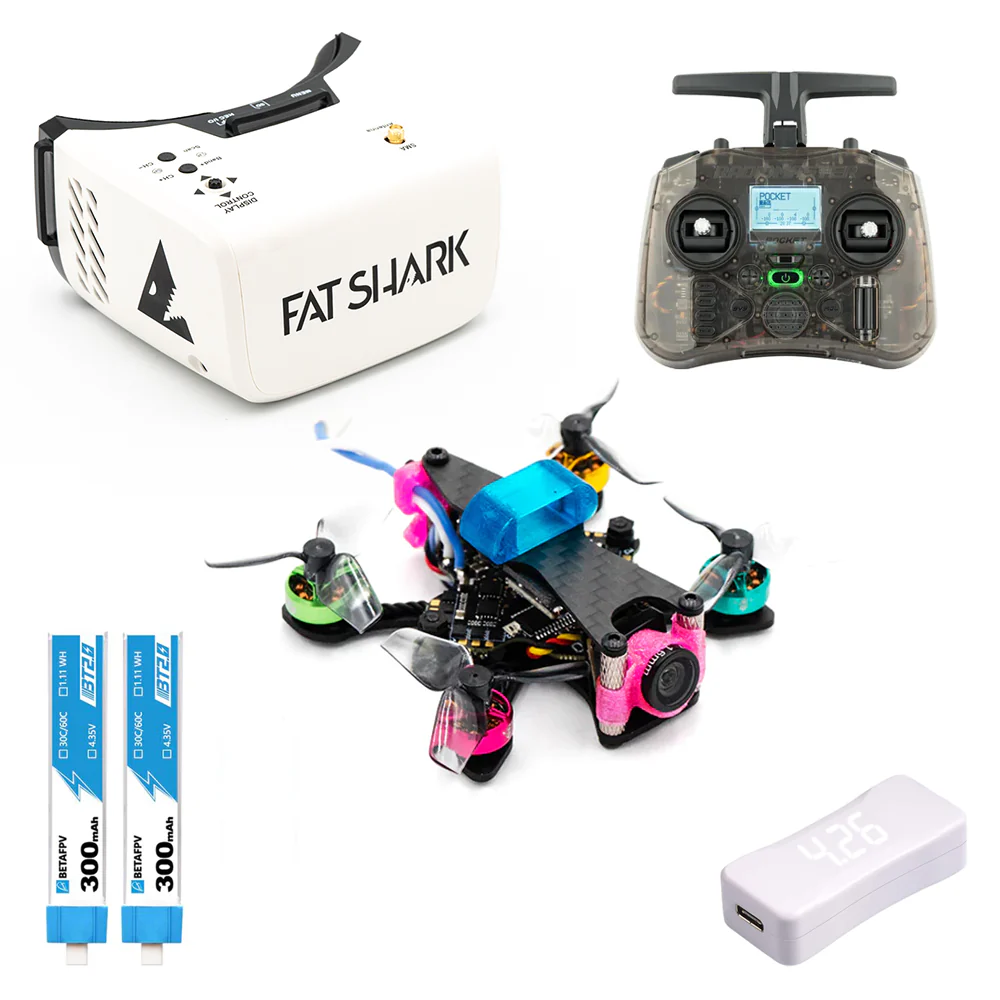
- RTF (Ready-to-Fly): These kits come with everything you need: drone, radio, goggles, and batteries. They are the easiest way to get into FPV.
- Pros: Instant gratification, no building required, often cheaper as a bundle.
- Cons: Components might not be top-tier, less room for customization, you might outgrow the radio/goggles quickly.
- Recommendation: Good for an absolute beginner who wants to dip their toes in without commitment, like the BetaFPV Cetus Pro FPV Kit.
- BNF (Bind-and-Fly): These drones come fully assembled and tuned, but without a radio or goggles. You just need to "bind" them to your existing radio.
- Pros: Still easy to get flying, higher quality components than most RTF kits, you can choose your preferred radio/goggles.
- Cons: Requires you to have a compatible radio.
- Recommendation: This is often the best fpv drone for beginners who have already invested in a good radio and simulator time. A Tiny Whoop (like a Mobula7 or Meteor75) is an excellent first BNF drone for indoor/gentle outdoor flight. For a first outdoor quad, a 3-inch like the GEPRC Cinelog35 is a great choice.
The DIY Path: Benefits and Challenges of Building Your FPV Drone
Building your own drone is a core part of the FPV hobby for many.
- Benefits:
- Deep Understanding: You'll learn exactly how every component works, which is invaluable for troubleshooting and repairs.
- Customization: Choose every part to perfectly match your flying style and budget.
- Cost Savings: Often, building can be cheaper than buying a comparable pre-built drone, especially for more advanced setups.
- Satisfaction: The pride of flying something you built yourself is immense.
- Challenges:
- Time & Effort: Requires patience, soldering skills, and research.
- Learning Curve: Can be intimidating for absolute beginners.
- Troubleshooting: Expect to spend time diagnosing issues.
Essential Tools and Components for Your First FPV Build
If you choose the DIY route, you'll need:
- Soldering Iron & Solder: Essential for connecting components.
- Multimeter: For checking continuity and voltage.
- Hex Drivers/Wrenches: For assembling the frame.
- Heat Shrink Tubing & Zip Ties: For securing and insulating wires.
- Basic Components: Frame, Flight Controller (FC), Electronic Speed Controller (ESC), Motors, Camera, Video Transmitter (VTX), Receiver (RX), Antennas.
Pro Tip: Don't be afraid of building! There are countless tutorials online (e.g., Joshua Bardwell's videos) that walk you through every step. Start with a simple 3-inch build.
Beyond the Basics: Skill Progression & Advanced FPV Flying
Once you're comfortable with basic flight, the real fun begins as you explore the FPV skill tree.
From Acro to Freestyle: Mastering Advanced Maneuvers
- Acro Mode: This is the full manual mode where the drone doesn't self-level. It's essential for all advanced FPV flying.
- Freestyle Progression:
- Orbits & Coordinated Turns: Smooth, controlled flight around objects.
- Rolls & Flips: Basic aerial acrobatics.
- Power Loops: Flying up and over an object.
- Diving: Controlled descent through gaps or alongside structures.
- Inverted Flight: Flying upside down.
- Advanced Tricks: Matty flips, inverted yaw spins, rubiks cubes – the possibilities are endless!
Racing Lines & Gate Navigation: The Thrill of Competition
For racing, focus on:
- Smoothness: Efficient turns and throttle management.
- Line Choice: Finding the fastest path through a course.
- Gate Awareness: Precisely hitting gates without losing speed.
- Practice: Consistent practice on racing simulators and real-world tracks.
Cinematic FPV: Smooth Shots, Creative Flying, and Storytelling
Cinematic FPV often involves:
- Gentle Throttling: Smooth acceleration and deceleration.
- Anticipation: Planning your shots and movements in advance.
- Camera Angles: Utilizing tilt and pan to enhance composition.
- Post-Production: Learning video editing software to stabilize, color grade, and add music to your footage. Drones like the Cinebot30 or Pavo30 are designed for this purpose.
Understanding Regulations, Safety, and Ethical FPV Flying
As you progress, always remember:
- Local Regulations: Research and adhere to your country's drone laws (e.g., registration, no-fly zones, VLOS requirements).
- Safety: Always fly in safe, open areas away from people and property. Never fly under the influence. Check your gear before every flight.
- Ethical Flying: Be respectful of privacy and the environment. Don't be "that drone pilot."
The FPV Pilot's Buyer's Guide: Budgeting Your Journey
How much does it typically cost to get into FPV? This is a common question. The answer varies widely depending on your chosen path.
Starter Kits vs. Component-Based Builds: A Cost Analysis
- Absolute Budget Entry (Simulator + Budget RTF Kit):
- Simulator: Free (trial) to $20-40 (full version)
- RTF Kit (e.g., BetaFPV Cetus Pro Kit): $200-300
- Total: $220 - $340 (You'll quickly want to upgrade the radio/goggles).
- Recommended Beginner Setup (Good Radio + Good Goggles + BNF Tiny Whoop):
- Radio (e.g., Radiomaster Zorro ELRS): $100-150
- Goggles (e.g., Eachine EV800D): $100-150
- BNF Tiny Whoop (e.g., Mobula7): $100-150
- Batteries & Charger: $50-100
- Simulator: $20-40
- Total: $370 - $590 (A much better long-term investment).
- Mid-Range Entry (Digital System + BNF 3-inch):
- Radio: $100-150
- Digital Goggles (e.g., DJI Goggles V2): $400-600
- BNF 3-inch drone (e.g., CineLog35 w/ O3 Air Unit): $350-550
- Batteries & Charger: $100-200
- Simulator: $20-40
- Total: $970 - $1540 (A premium experience from the start).
Essential Upgrades & Future-Proofing Your FPV Setup
- Better Goggles: Upgrading from analog box goggles to higher-end analog or digital goggles is a common step.
- More Powerful Drone: Moving from a Tiny Whoop to a 3-inch or 5-inch quad.
- Module Bays: Some radios allow you to swap out external modules (e.g., ELRS, Crossfire) to future-proof your setup.
- Spare Parts: Always keep spare props, motors, and a few essential components on hand.
Where to Buy: Reputable Retailers & Community Marketplaces
- Online Retailers: GetFPV, RaceDayQuads, Pyrodrone, Banggood, AliExpress are popular choices.
- Local FPV Shops: Support your local community if you have one!
- Community Marketplaces: FPV Facebook groups and forums often have pilots selling used gear.
FPV Roadmap FAQ
What's the absolute minimum I need to start FPV?
A radio transmitter and an FPV simulator. You can practice endlessly without spending a dime on drone repairs.
How long should I practice on a simulator before flying a real drone?
Aim for at least 20-40 hours of simulator time until you can fly confidently in acro mode, perform basic turns, and recover from tricky situations without crashing.
Is building an FPV drone too hard for a beginner?
While it has a learning curve, with the abundance of online tutorials, building a drone is very achievable for a beginner. It's highly recommended for understanding your drone and easier repairs.
What's the biggest mistake beginners make in FPV?
Trying to fly a real drone in acro mode without enough simulator practice. This almost always leads to immediate crashes and frustration. The other common mistake is not understanding LiPo battery safety.
Can I fly FPV indoors, and what kind of drone is best for that?
Yes! Tiny Whoops (65mm-75mm brushed or brushless drones like the Mobula6/7 or Meteor65/75) are perfect for safe indoor flying. Their ducted propellers protect both the drone and your furniture.
Charting Your Course: Your Personalized FPV Journey Awaits
Your FPV progression guide is not a race; it's a journey of discovery and skill development. Embrace every crash as a learning opportunity and celebrate every successful maneuver.
Embrace the Learning Curve and Enjoy the Process
FPV is challenging, but incredibly rewarding. Be patient with yourself, focus on incremental improvements, and remember that even the pros started with basic hovers. The joy is in the flight, the challenge, and the continuous evolution of your skills.
Join the FPV Community: Learn, Share, and Grow
The FPV community is one of the most supportive and passionate you'll find. Join online forums, Facebook groups, and local FPV clubs. Ask questions, share your flights, and learn from experienced pilots. This collective knowledge and camaraderie will accelerate your learning and enrich your experience.
Your Next Flight Starts Now: Take the Controls!
With this FPV roadmap in hand, you're now equipped with the knowledge to embark on an incredible journey. From selecting your first fpv gear recommendations to mastering complex aerial maneuvers, the sky is no longer the limit – it's your playground. So, grab your radio, fire up that simulator, and prepare to unleash your inner pilot. Your personalized FPV adventure awaits!
Copyright-safe media generated locally by FPVLovers