The Best FPV Simulators in 2026: Save Cash and Log Hours Virtually
An in-depth review comparing the leading FPV flight simulators (Liftoff, Velocidrone, Uncrashed, DRL, Tryp FPV) on physics accuracy, hardware specs, graphics, and training utility.
The Best FPV Simulators in 2026: Save Cash and Log Hours Virtually
Future-Proof Your Flight: Mastering FPV with the Best Simulators of 2026
The world of FPV drones is evolving at breakneck speed, and staying ahead of the curve means constant practice and skill refinement. But who wants to crash expensive gear while learning? Enter the FPV simulator – your ultimate, risk-free training ground. For 2026, simulators aren't just about basic flight; they're about hyper-realistic physics, cutting-edge graphics, and dynamic environments that mirror real-world FPV challenges. Ready to discover the top FPV simulators that will propel your skills into the future? Let's dive into the best picks for realistic flight and how to make the most of them.

Why FPV Simulators Are Your Ultimate Training Ground for 2026
In the fast-paced world of FPV, skill is everything. A simulator isn't just a game; it's an essential tool for every pilot, from the absolute beginner to the seasoned pro. For 2026, the realism and features offered by these platforms make them indispensable.
Safety and Cost-Effectiveness: Learn Without the Risk
Imagine trying a new trick like a "power loop" for the first time with your shiny new quad. The odds of a spectacular crash are high, leading to broken frames, motors, propellers, or even worse, damaged electronics. Each real-world crash costs time and money – often dozens, if not hundreds, of dollars in repairs.
With an FPV simulator, every crash is a mere reset button press. You can attempt the most audacious maneuvers, navigate the tightest gaps, and push your limits without any fear of damaging your equipment or, more importantly, injuring yourself or others. This risk-free environment allows for fearless experimentation, which is crucial for rapid learning.
Rapid Skill Progression: From Beginner to Pro Pilot
One of the greatest advantages of using a simulator is the sheer volume of flight time you can accumulate. Real-world flying is often limited by battery life, weather conditions, or accessible locations. In a simulator, you have unlimited "batteries" and perfect conditions 24/7.
This constant practice translates directly into muscle memory development. Your brain and fingers learn the precise inputs required for smooth, accurate flight. Beginners can master basic hovering and turning, while intermediate pilots can refine complex freestyle lines or shave precious milliseconds off their race times. Many top FPV pilots attribute a significant portion of their skill development to countless hours spent in simulators.
Exploring New Horizons: Practice Advanced Maneuvers & Environments
Want to try a "matty flip" or master a "gap dive" before risking it in real life? Simulators offer dedicated training modes and environments specifically designed for these challenges. You can practice racing lines on virtual versions of official DRL tracks or explore vast, detailed freestyle maps that mimic real-world urban or natural landscapes.
This allows you to mentally prepare for different flying scenarios and build confidence before taking your skills outdoors. Furthermore, many simulators feature drone models that mimic popular FPV setups, letting you get a feel for how different quad weights, power levels, and camera angles might affect your flying.
Key Features Defining a Top FPV Simulator in 2026
As FPV technology advances, so do the simulators designed to train pilots. The best FPV simulators of 2026 aren't just graphically impressive; they offer a holistic training experience.
Hyper-Realistic Physics & Drone Models
This is arguably the most critical feature. A simulator is only as good as its physics engine. The best simulators accurately replicate the complex aerodynamic forces acting on an FPV drone, including gravity, thrust, drag, and gyroscopic effects. This means that if you learn a maneuver in the simulator, it should translate directly to real-world flight.
Top simulators also offer a range of customizable drone models, allowing you to tweak parameters like weight, motor power, prop size, and camera angle. This lets you practice with a virtual drone that closely matches your actual setup, ensuring the most relevant training. For instance, Velocidrone is renowned for its incredibly accurate physics engine, often cited as the closest to real-life flight.
Stunning Graphics & Dynamic Environments
While physics is king, immersive graphics play a huge role in engagement and transferability of skills. Modern FPV simulators boast high-definition environments, realistic lighting, and dynamic elements like moving obstacles or changing weather. This visual fidelity helps pilots better judge distances, speeds, and trajectories, mirroring real-world visual cues.
Environments range from intricate race tracks with gates and obstacles to sprawling urban landscapes, dense forests, and even abstract stunt parks. The ability to fly through diverse and challenging environments keeps practice engaging and prepares you for any real-world scenario. Uncrashed: FPV Drone Simulator is a prime example of a sim pushing the boundaries of graphical realism.
Customization, Multiplayer & Community Content
A great simulator offers more than just pre-built tracks. Look for extensive customization options, including drone appearance, flight controller settings (PIDs), and track editors. The ability to create and share custom tracks and drone setups significantly extends a simulator's lifespan and utility.
Multiplayer functionality is also key for competitive pilots. Racing against friends or strangers online provides invaluable experience in navigating crowded tracks and handling pressure. Furthermore, active communities often generate a wealth of user-created content – tracks, drone skins, and even physics profiles – that keep the experience fresh and challenging.
Future-Proofing: Updates, VR/AR Integration & AI Training
The best FPV simulators for 2026 are those that continue to evolve. Regular updates bring new features, bug fixes, and optimization for the latest hardware. We're also seeing increasing integration with technologies like VR (Virtual Reality) and AR (Augmented Reality), offering even more immersive training experiences. Imagine flying in VR with your actual FPV goggles!
Advanced simulators might also incorporate AI-driven training partners or adaptive difficulty, providing personalized challenges to help you overcome specific weaknesses. As FPV technology progresses, expect simulators to leverage these innovations to provide ever more sophisticated training tools.
The Contenders: Best FPV Simulators of 2026 Reviewed
Choosing the best FPV simulator 2026 depends heavily on your goals. Here's a breakdown of the top contenders, each with its unique strengths.
Velocidrone: The Racing & Physics Benchmark
Velocidrone has long been the gold standard for competitive FPV racing pilots due to its unparalleled physics engine. If your goal is to race and you need the most realistic flight feel, this is likely your top pick.
- Strengths:
- Hyper-realistic Physics: Widely regarded as having the most accurate physics, making the transition to real flight seamless.
- Competitive Focus: Excellent for racing, with a robust online multiplayer system, leaderboards, and a vast library of official race tracks. Many professional racers use Velocidrone for practice.
- Active Community: Strong community support with user-created tracks and regular online races.
- Regular Updates: Consistently updated with new features and optimizations.
- Considerations:
- Graphics, while good, are not as visually stunning as some newer simulators.
- Freestyle environments are present but not as expansive or varied as Liftoff or Uncrashed.
- Real-world performance: Pilots often report that if you can fly a track well in Velocidrone, you'll perform similarly in real life. This makes it invaluable for competitive practice.
Liftoff: FPV Drone Racing & Freestyle: Immersive & Expansive
Liftoff offers a fantastic balance of realistic physics, beautiful graphics, and a huge variety of environments suitable for both racing and freestyle. It's often recommended for intermediate pilots due to its comprehensive features.
- Strengths:
- Immersive Graphics & Environments: Features beautifully rendered maps, from abandoned factories to lush forests and urban landscapes.
- Strong Freestyle & Racing Content: Excellent for both disciplines, with a wide array of drone models, parts, and a comprehensive track builder.
- Extensive Customization: Deep drone customization, allowing you to fine-tune every aspect of your virtual quad.
- Beginner-Friendly: Offers tutorials and flight modes that are accessible for new pilots, while still challenging for pros.
- Modding Support: A thriving workshop community on Steam provides endless user-created content.
- Considerations:
- Physics, while very good, are sometimes perceived as slightly less "raw" than Velocidrone by hardcore racers.
- Real-world performance: Provides a very satisfying flight experience that translates well to real-world freestyle and general flying. The visual immersion helps a lot with spatial awareness.
DRL Simulator: Official Tracks & Competitive Edge
The DRL (Drone Racing League) Simulator is the official training ground for DRL pilots and anyone aspiring to race on iconic DRL tracks. If competitive, high-speed racing is your primary focus, and you want to experience the DRL thrill, this is the sim for you.
- Strengths:
- Official DRL Tracks: Access to all official DRL season tracks, meticulously recreated. This is a huge draw for competitive pilots.
- Competitive Focus: Designed for racing, with a strong emphasis on speed and precision.
- Good Physics: Offers solid and challenging physics that prepare you for high-stakes racing.
- Esports Integration: Connects directly to DRL's esports ecosystem, offering pathways to real-world DRL events for top sim pilots.
- Considerations:
- Less emphasis on freestyle or open-world exploration compared to Liftoff or Uncrashed.
- Drone customization might be less extensive than other sims, focusing on DRL-spec quads.
- Real-world performance: Excellent for practicing race lines and gate accuracy. The physics are tuned for high-speed, competitive flight.
Uncrashed: FPV Drone Simulator: Cutting-Edge Graphics & Freestyle Focus
Uncrashed is a newer contender that has quickly gained a reputation for its breathtaking graphics and expansive, open-world freestyle environments. If visual immersion and creative freestyle flying are your priorities, Uncrashed is a serious contender for the best FPV simulator 2026.
- Strengths:
- Stunning Visuals: Arguably the most graphically impressive FPV simulator, with highly detailed environments and realistic lighting.
- Expansive Open Worlds: Features massive, beautifully designed maps perfect for creative freestyle lines, exploration, and gap hunting.
- Solid Physics: Offers a very enjoyable and realistic freestyle flight feel, with good drone dynamics.
- Regular Updates & Developer Interaction: The developer is very active in the community, constantly adding new features and responding to feedback.
- Considerations:
- While it has racing modes, its primary strength lies in freestyle.
- Being a newer sim, the community-generated content might not be as vast as Liftoff's yet.
- Real-world performance: The visual fidelity helps greatly with judging complex lines and gaps, making it fantastic for freestyle practice.
Setting Up for Success: Hardware & Software Configuration
To get the most out of the best FPV simulator 2026, proper hardware and software setup are crucial. Don't let a poor setup hinder your progress!
Choosing the Right FPV Controller (Radio Transmitter)
This is non-negotiable: you must use your actual FPV radio transmitter to practice in a simulator. Using a gamepad or joystick will teach you bad habits that won't translate to real-world FPV flying.
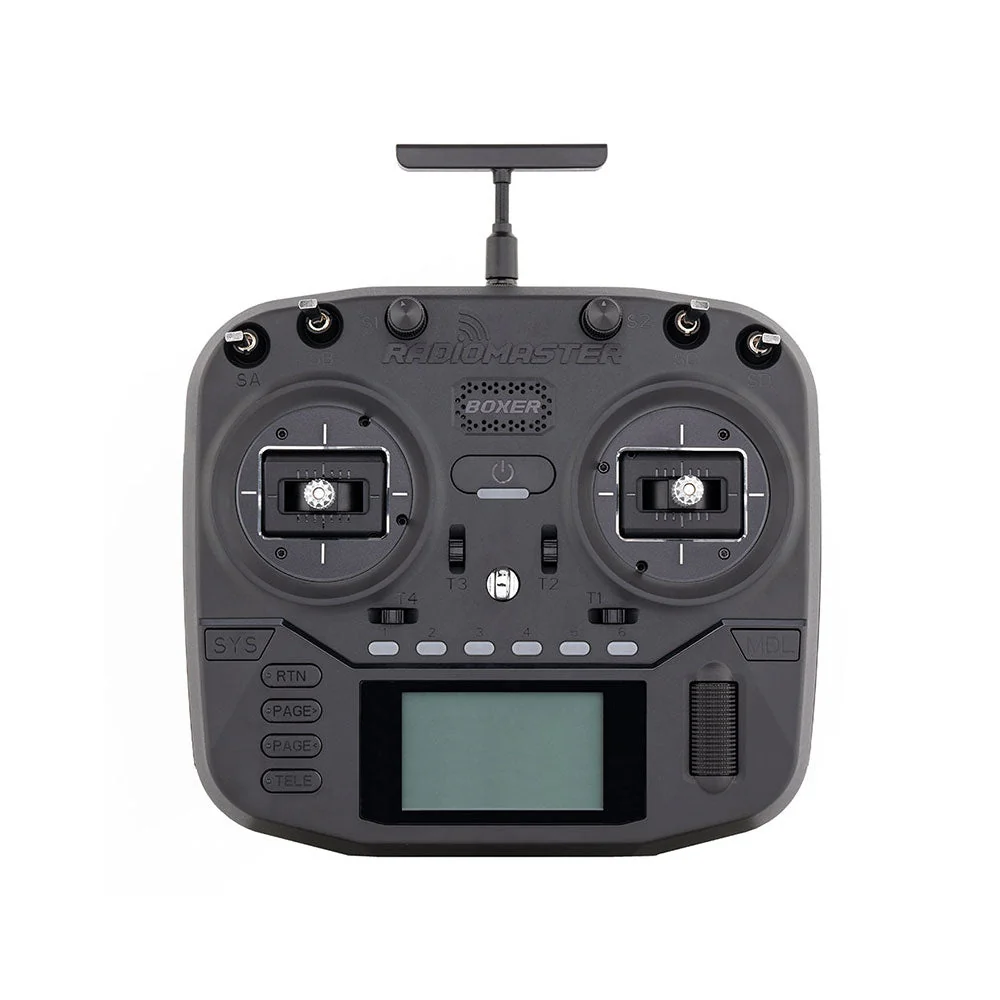
- Recommendations: Popular and reliable radio brands include Radiomaster (e.g., Zorro, Boxer, TX16S), FrSky (e.g., Taranis X9D, X-Lite), and TBS (Tango 2).
- Protocols: Ensure your radio supports a common protocol like ELRS, Crossfire, or ACCESS if you plan to fly real drones. For sim use, most modern radios can connect via USB.
- Connection: Most FPV radios connect to your PC via a standard USB-C cable. They will typically appear as a "HID Gamepad" device. Some older radios might require a specific trainer port cable or a USB dongle.
PC System Requirements for Optimal Performance
The visual fidelity of 2026's top simulators means they can be demanding. To avoid frustrating lag and ensure a smooth, realistic experience, aim for these specs:
- CPU: Intel Core i5 (10th Gen or newer) or AMD Ryzen 5 (3000 series or newer). A faster CPU helps with physics calculations.
- RAM: At least 16GB DDR4. More is better, especially if you run other applications simultaneously.
- GPU: This is critical for graphics. Aim for an NVIDIA GeForce RTX 3060 / AMD Radeon RX 6600 XT or better. For 4K resolution or VR, an RTX 4070 / RX 7700 XT or higher would be ideal.
- Storage: SSD (Solid State Drive) is highly recommended for faster loading times.
- Operating System: Windows 10/11 (64-bit).
Connecting & Calibrating Your Controller for Seamless Flight
- Connect: Plug your FPV radio into your PC using a USB-C cable. Most radios will automatically switch into joystick/HID mode.
- Power On: Turn on your radio. Some radios require you to select "USB Joystick" or "USB HID" from a menu.
- Launch Simulator: Open your chosen FPV simulator.
- Calibrate: Navigate to the controller settings within the simulator. You'll need to calibrate your sticks (throttle, roll, pitch, yaw) by moving them through their full range of motion. Ensure the axes are correctly assigned (e.g., left stick up/down for throttle, left stick left/right for yaw).
- Adjust Rates: While not strictly calibration, adjust your rates (Expo, SuperRate, RC Rate) in the simulator to match your real drone's Betaflight/flight controller settings. This ensures the simulator feels as close to your actual quad as possible. This is a pro tip for consistent muscle memory!
Mastering the Skies: Advanced Training Techniques & Drills
A simulator is a tool; how you use it determines your progress. Here are some techniques to accelerate your learning.
Progressive Learning Path: From Hover to Power Loops
- Beginner: Start with basic hovering, gentle turns, and flying in a square pattern. Focus on smooth stick inputs and maintaining altitude. Practice flying through simple gates.
- Intermediate: Progress to faster circuits, sharp turns, and basic freestyle maneuvers like rolls and flips. Practice "gap hunting" – flying through small openings in the environment. Work on consistent throttle management.
- Advanced: Tackle complex freestyle combos (e.g., power loops into inverted dives), inverted flight, and precision proximity flying. For racers, focus on finding the fastest lines, perfecting gate entries and exits, and maintaining consistent speed.
Targeted Drills for Racing & Freestyle Mastery
- Racing:
- Track Memorization: Fly a track repeatedly until you can do it blindfolded.
- Consistent Lines: Focus on hitting apexes and maintaining a smooth, efficient path.
- Gate Drills: Practice specific tricky gate sequences until they become second nature.
- Time Attack: Constantly try to beat your own best times.
- Freestyle:
- Specific Trick Practice: Isolate one trick (e.g., a "split-S") and practice it hundreds of times until it's perfect.
- Flow Drills: Link multiple tricks together in a smooth, continuous line.
- Gap Challenge: Find increasingly difficult gaps in the environment and try to fly through them.
- Environment Exploration: Spend time just flying around, discovering new lines and creative possibilities.
Leveraging Multiplayer & Community Challenges
Don't fly alone! Multiplayer modes offer invaluable experience:
- Competitive Racing: Race against other pilots to learn from their lines, handle pressure, and improve your reaction times.
- Freestyle Sessions: Fly with friends, watch their lines, and get inspiration for new tricks. Some simulators allow "ghost" drones, letting you follow expert pilots.
- Community Tracks: Download and try user-created tracks. These often present unique challenges that push your skills in new ways.
Buyer's Guide: Choosing Your Perfect FPV Simulator for 2026
With several excellent options, how do you pick the best FPV simulator 2026 for you?
Matching Your Skill Level & FPV Goals
- Absolute Beginner: Liftoff is very accessible with good tutorials and a forgiving learning curve. DRL Simulator also has beginner-friendly modes if your ultimate goal is racing.
- Freestyle Pilot: Uncrashed for cutting-edge visuals and open worlds, or Liftoff for its extensive content and customization.
- Racing Pilot: Velocidrone for unparalleled physics realism and competitive practice, or DRL Simulator for official DRL tracks and esports integration.
- All-Rounder: Liftoff offers the best balance for pilots who enjoy both racing and freestyle.
Free vs. Paid Simulators: What's Worth the Investment?
While there are some free or demo versions (like FPV Freerider demo), they generally lack the advanced physics, graphical fidelity, and features (multiplayer, extensive drone/track customization, ongoing updates) of paid simulators.
For serious practice and to truly future-proof your skills for 2026 and beyond, investing in a paid simulator (typically around $20-40 USD) is highly recommended. The cost is a fraction of a single drone repair and provides unlimited, risk-free flight time.
Considering Your Budget & Hardware Limitations
- PC Specs: If your PC is older or less powerful, some of the graphically intensive simulators like Uncrashed might struggle. Velocidrone is generally less demanding graphically, making it a good option for mid-range systems.
- Controller: Remember, a dedicated FPV radio is a must. Factor this into your initial budget if you don't already own one. Radiomaster Zorro or Boxer are excellent, affordable entry points.
Frequently Asked Questions About FPV Simulators in 2026
What are the top-rated FPV simulators for 2026?
For 2026, Velocidrone, Liftoff, DRL Simulator, and Uncrashed continue to be top contenders, each excelling in different areas like physics, graphics, or competitive features. The 'best' depends on your specific training goals.
How do I choose the right FPV simulator for my skill level and goals?
Consider if you're a beginner needing basic flight, an intermediate pilot honing freestyle, or a racer seeking competitive tracks. Check reviews for physics realism, available drone models, and track editors. Our buyer's guide provides a detailed breakdown.
Which FPV simulator offers the most realistic physics and graphics for future FPV trends?
Velocidrone is often cited for its highly realistic physics, making it a favorite for competitive pilots. Uncrashed stands out for its cutting-edge graphics and immersive environments, pushing visual realism for freestyle. Both are excellent choices for future trends.
Are there any FPV simulators worth buying in 2026, or are free ones sufficient for serious practice?
While free simulators like FPV Freerider (demo) can offer a taste of FPV, paid simulators generally provide vastly superior physics, graphics, features (multiplayer, track editors), and ongoing updates crucial for serious practice and future-proofing your skills in 2026. The investment is well worth it.
What hardware (controller, PC specs) do I need for the best FPV simulator experience in the coming years?
You'll need a dedicated FPV radio transmitter (like a Radiomaster Zorro/Boxer or FrSky Taranis) that can connect to your PC via USB. For PC specs, aim for a modern CPU (Intel i5/Ryzen 5 10th Gen+ or better), at least 16GB RAM, and a mid-range to high-end dedicated GPU (NVIDIA RTX 3060/AMD RX 6600 XT or better) to handle 2026's demanding simulator graphics at high frame rates.
Elevate Your FPV Skills: The Future of Flight Starts Here
Don't let your FPV journey be grounded by crashes or limited practice. Investing in one of the best FPV simulators for 2026 is the smartest move you can make to accelerate your learning, master complex maneuvers, and stay ahead in this dynamic hobby. Pick your simulator, plug in your radio, and start flying towards FPV mastery today!
RELATED GUIDES
Copyright-safe raster media generated locally by FPVLovers
Source: static2.manualslib.com
static2.manualslib.com