Acro Mode Mental Model: The Absolute Key to Flying FPV Drones
A breakdown of manual flight physics and control dynamics. Discover why Angle mode is a trap, how inputs translate into angular velocity, and how to calibrate your brain for true FPV freedom.
Introduction to FPV Acro Mode & The Flight Paradigm Shift
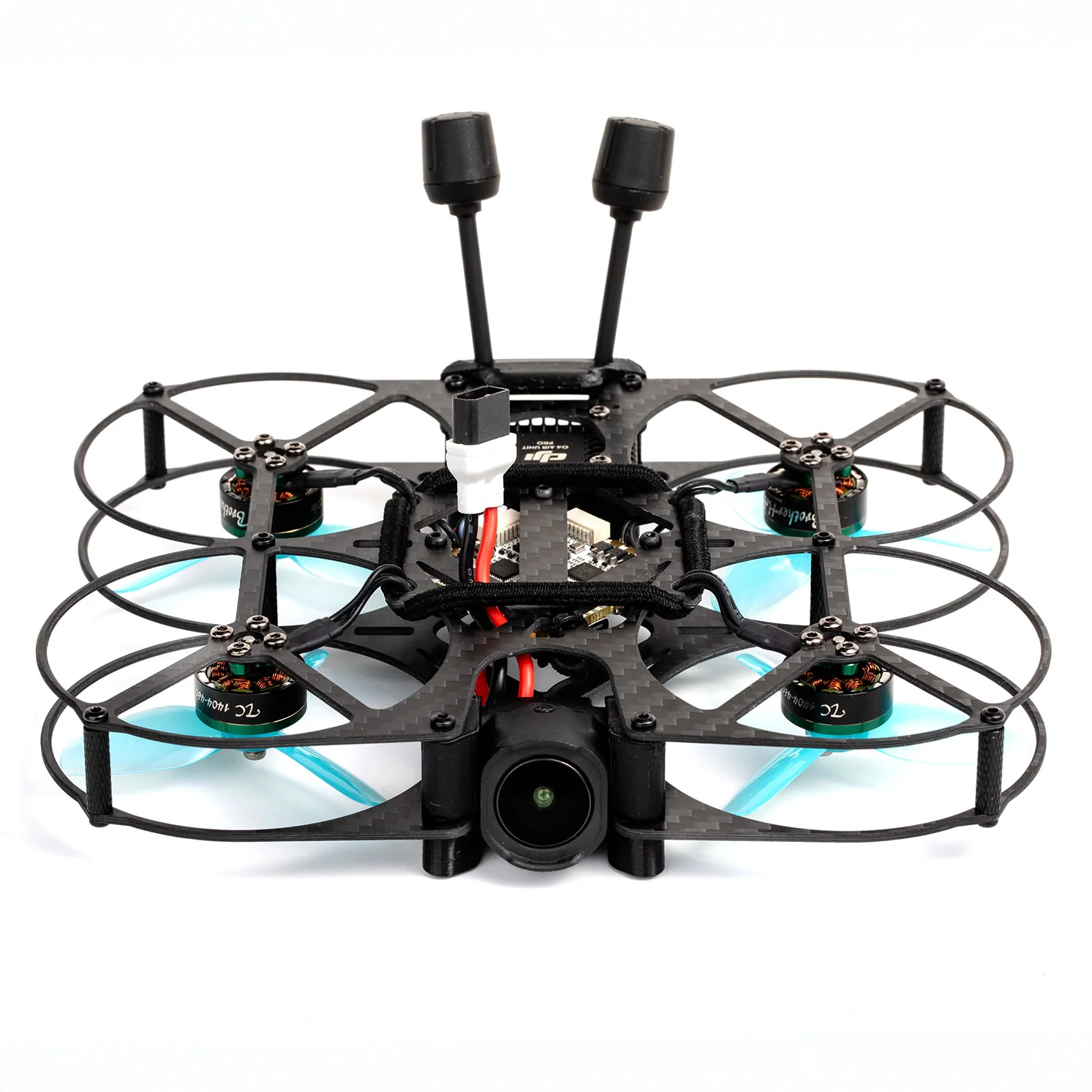
Ever watched an FPV drone thread an impossible gap, dive a skyscraper, or execute a flawless power loop, and wondered how the pilot controls such a volatile machine? The answer lies in Acro (Acrobatic) Mode, also known as manual or rate mode. Unlike standard GPS camera drones or toy quadcopters that rely on automatic self-leveling sensors, an FPV drone in Acro mode gives the pilot complete, unadulterated manual control over the aircraft's physical attitude.
For a beginner, switching to Acro mode is not just a setting change—it is a complete psychological and physical paradigm shift. You are transitioning from a system where you tell the drone where to look (stabilized attitude control) to a system where you command the drone's rate of rotation (angular velocity control). Understanding this conceptual model is the absolute key to unlocking FPV flight, saving hundreds of dollars in crashed carbon fiber, and developing the subconscious muscle memory required for premium, high-fidelity flight maneuvers.
Why Angle Mode is a Trap for Muscle Memory
When first starting out, many pilots are tempted to use Angle (stabilized) Mode. In Angle mode, the flight controller's onboard accelerometer is fully active. Pushing the pitch stick forward tilts the drone forward; releasing the stick returns the drone to a level hover.
While this feels safe, Angle mode is a trap for muscle memory. In Angle mode, you are constantly fighting against the drone's self-leveling software. If you want to keep flying forward, you must keep holding pressure on the pitch stick. This creates a 'rubber band' relationship between your thumbs and the aircraft.
In contrast, FPV flight is defined by continuous momentum and aerodynamic tracking. If you train your hands to hold constant stick pressure to maintain attitude, your brain will build the wrong neural pathways. When you eventually switch to Acro mode, that constant pressure will cause the drone to continuously rotate until it flips upside down and plummets into the ground. To fly FPV, you must break the self-leveling habit immediately and calibrate your brain to manual rate controls.
The Stick Dynamics: Controlling Velocity, Not Attitude
To master Acro mode, you must understand its core physical law: Stick deflection represents angular velocity (rate of rotation), not tilt angle.
- Angle Mode (Attitude Control): Center stick = Level drone. 50% Pitch Forward stick = 25-degree forward tilt. The drone's angle mirrors your stick position.
- Acro Mode (Angular Velocity Control): Center stick = No rotation (the drone maintains its current tilt angle indefinitely). 50% Pitch Forward stick = Rotate forward at 300 degrees per second. Pushing the stick and returning it to center leaves the drone tilted forward. It will stay at that exact angle until you apply an opposite command.
Think of it as steering a car versus steering a boat. In a car, if you hold the steering wheel turned, the car turns. If you center the wheel, the car goes straight. In Acro mode FPV, your stick inputs are like nudges. You nudge the drone into a specific attitude (e.g., tilted 15 degrees forward for forward flight), return the sticks to center, and the drone locks to that attitude and cruises. To stop, you must nudge the stick in the opposite direction.

Calibration Drills for Simulator Practice
Before taking a real drone into the field, you must build muscle memory in an FPV simulator. Connect your actual radio transmitter (such as a RadioMaster Boxer or Zorro) to your PC via USB-C to ensure you are building authentic muscle memory. Set your Betaflight rates to a beginner-friendly level (e.g., 600 deg/s max rate with 0.20 expo to soften the center stick).
Perform these four specific flight calibration drills:
- The Altitude Hover Lock: Find an open area in the simulator. Focus entirely on your throttle stick. Try to keep the drone suspended at exactly 5 feet off the ground for 2 minutes without drifting up or down. Because there is no automatic altitude hold, you must make micro-adjustments constantly.
- Attitude Lock & Center: Tilt the drone forward 15 degrees, return the pitch stick to center, and observe how it maintains forward flight. Practice making small corrections to yaw and roll to keep a straight line.
- The Coordinated Turn: A common beginner mistake is turning only with Roll or only with Yaw. To make a clean, aerodynamic turn, you must coordinate both sticks. Tilt the roll stick slightly to the right while pushing the yaw stick slightly to the right, and apply a small touch of throttle to fight gravity. The nose of the drone should smoothly carve through the turn without sliding.
- The Figure-8 Tracking: Locate two trees or pylons in the simulator. Fly a flat, continuous figure-8 pattern around them. Focus on maintaining a constant altitude and speed. This drill forces you to coordinate left-hand and right-hand stick inputs under pressure.
Crucial Bench Setup & Safety Warnings
When you are ready to transition from virtual flight to a real FPV quadcopter, safety must be your absolute priority. FPV drones are powerful machines with high-speed brushless motors and razor-sharp carbon fiber frames.
[!CAUTION] PROPELLERS-OFF BENCH TEST RULE Never connect a LiPo battery to a drone on your workbench with the propellers attached. A sudden motor spin due to a configuration mismatch, a receiver bind glitch, or an accidental arm switch toggle can cause severe lacerations and property damage. Propellers only go on the drone at the flying field.
- Failsafe Check: Configure your Betaflight failsafe immediately. In the event of a radio signal loss, the flight controller must cut power to the motors instantly (
Dropconfiguration). Never set failsafe toLandon an FPV drone, as a runaway drone can cause severe accidents. - Visual Line of Sight & Spotters: When flying FPV goggles on your face, you are visually isolated. Always fly with an active visual observer (spotter) who can monitor the surrounding airspace for pedestrians, animals, or low-flying aircraft.
- LiPo Storage Safety: Always balance charge your LiPo batteries in a fireproof bag or ammo box. Never charge a battery that is physically dented, swollen, or punctured, and never leave charging batteries unattended.

RELATED GUIDES
Copyright-safe raster media generated locally by FPVLovers