MultiGP: The World's Largest Professional Drone Racing League
An overview of MultiGP's global presence, pilot network, and chapter system.
MultiGP: The World's Largest Professional Drone Racing League
FPV Racing Guide: Start Your Pilot Journey from Beginner
Ever dreamt of soaring through the air at breakneck speeds, navigating intricate courses with precision, all from a first-person perspective? Welcome to the exhilarating world of FPV racing! This isn't just a hobby; it's a high-octane sport that combines cutting-edge technology, lightning-fast reflexes, and a vibrant community. If you're ready to strap on your goggles and take the sticks, this ultimate guide will pave your progression path from a curious beginner to a confident FPV pilot ready for your first competitive race. Let's get you airborne!
The Gateway to the Goggles: Understanding FPV Racing
What is FPV Racing? Adrenaline, Skill, and Community
FPV, or First Person View, racing is a thrilling sport where pilots control high-speed, agile drones through a headset that displays a live video feed from the drone's onboard camera. Imagine sitting in the cockpit of a miniature jet, weaving through gates, around flags, and across finish lines at speeds often exceeding 100-150 km/h. It's an unparalleled immersive experience that demands a unique blend of technical skill, quick thinking, and lightning-fast reflexes.
Beyond the raw speed, FPV racing is a vibrant ecosystem of innovation and camaraderie. Pilots constantly tinker with their setups, refine their flying techniques, and share knowledge within a supportive global community. Whether you're discussing the latest flight controller settings or celebrating a new personal best, the FPV community is always there to cheer you on.
Why Get Into FPV Racing? The Thrill of the Chase
The appeal of FPV racing is multifaceted. For many, it's the sheer adrenaline rush of piloting a powerful machine with such precision. The immersive FPV view makes you feel truly connected to your drone, experiencing every turn and dive as if you were flying yourself. It’s a challenging pursuit that offers immense satisfaction as you master complex maneuvers and shave precious milliseconds off your lap times.
But it's not just about flying. FPV racing often involves building and tuning your own drone, offering a deep dive into electronics, aerodynamics, and software. This hands-on experience provides a profound understanding of your machine, making every successful flight and every victory even more rewarding. It's a sport that fosters continuous learning, problem-solving, and personal growth, all while being part of a passionate and welcoming community.
Core Components of a Racing Drone System
To embark on your FPV racing journey, you'll need a few essential pieces of equipment that work in harmony to create the first-person flying experience:
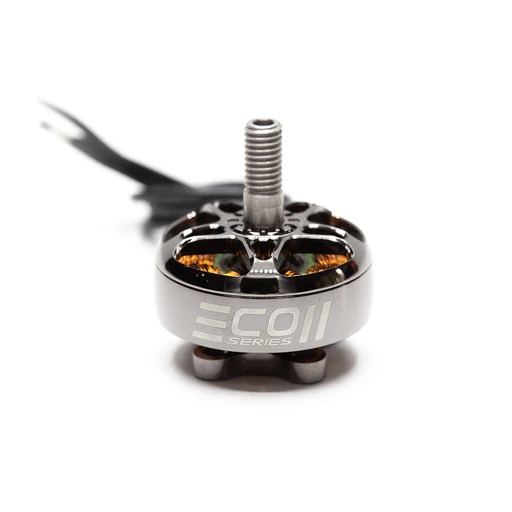
- The Drone (Quad): This is your flying machine, typically a quadcopter designed for speed and agility. It comprises motors, Electronic Speed Controllers (ESCs) to power them, a Flight Controller (FC) as the brain, a Video Transmitter (VTX) to send video, and an FPV camera.
- FPV Goggles: These are worn like a VR headset and display the live video feed from your drone's camera, giving you the first-person perspective. They also contain a video receiver to pick up the signal from the VTX.
- Radio Transmitter (Controller): This is the device you hold in your hands to control the drone's movements. It sends your stick inputs wirelessly to the drone's receiver.
- LiPo Batteries: High-discharge Lithium Polymer batteries power your drone, providing the necessary punch for high-speed flight. You'll also need a specialized charger for them.
These components form the core FPV racing setup, each playing a critical role in bringing the immersive flight experience to life.
Simulator Mastery: Your Virtual Training Ground
Why Simulators are Your Best Friend (and Cheapest Crash)
Before you even think about buying your first physical drone, FPV racing simulator practice is absolutely crucial. Simulators are your virtual training ground, offering a risk-free environment to learn the fundamental controls, build muscle memory, and understand flight physics without the inevitable (and costly) consequences of real-world crashes. Think of it as flight school where every crash costs you nothing but a reset button press.
Practicing on a simulator allows you to experiment with different flight modes, drone setups, and racing lines. It helps you develop the spatial awareness and hand-eye coordination necessary for FPV flight, preparing you for the moment you strap on your goggles and take to the real skies. This initial investment in a simulator and consistent practice will save you significant money, frustration, and repair time in the long run.
Top FPV Simulators for Beginners
Several excellent FPV simulators are available, each offering a slightly different experience. Here are some of the most popular and effective for new pilots:
- Velocidrone: Widely regarded for its highly realistic physics and excellent race track selection. Many professional FPV pilots use Velocidrone for training, and it features a strong online multiplayer community and competitive scene. If you're serious about racing, this is a top contender.
- DRL Simulator: The official simulator of the Drone Racing League, this sim offers a more gamified experience with a focus on DRL's signature tracks. It's very accessible for beginners and provides structured challenges to improve your skills.
- Liftoff: FPV Drone Racing: Known for its beautiful graphics, diverse environments (from urban parks to snowy mountains), and a good balance between realism and accessibility. Liftoff is great for both racing and freestyle practice.
- Uncrashed: FPV Drone Simulator: A newer entry that boasts stunning, realistic graphics and incredibly detailed crash physics. It offers a very immersive experience, making crashes feel impactful without damaging your real gear.
Pilot Tip: Connect your actual FPV radio transmitter to the simulator. This ensures you're building muscle memory with the same controller you'll use for real flights, making the transition much smoother.
Essential Practice Drills to Build Muscle Memory
Consistent practice is key. Here are some structured drills to help you build fundamental FPV racing techniques for beginners in a simulator:
- Hovering and Throttle Control: Start by simply hovering your drone in a fixed position. Focus on maintaining a consistent altitude and position. This teaches you delicate throttle management.
- Figure-Eights: Practice flying smooth, wide figure-eights. This helps develop coordinated turns using yaw, pitch, and roll, crucial for navigating race tracks.
- Gate Navigation: Set up simple gate courses (or use pre-built ones in the sim). Focus on flying through the center of the gates smoothly, maintaining speed, and looking ahead to the next gate.
- Basic Acro Maneuvers: Begin to experiment with small rolls and flips. These are essential for fpv racing techniques for beginners and advanced racing lines. Start with gentle inputs and gradually increase their intensity.
- Race Line Practice: Once comfortable, pick a specific race track and try to fly the optimal "race line" repeatedly. Focus on smooth transitions, hitting apexes, and maintaining momentum.
Pilot Tip: Dedicate at least 15-30 minutes daily to simulator practice. Consistency trumps long, infrequent sessions. Focus on quality of movement over speed initially.
Assembling Your Arsenal: Essential FPV Racing Gear (Buyer's Guide)
Once you've logged countless hours in the simulator, it's time to consider your fpv racing gear list. This is where your virtual skills translate into real-world flight.
Choosing Your First Drone: RTF Kits vs. Building
When selecting your first beginner fpv racing drone, you generally have two paths:
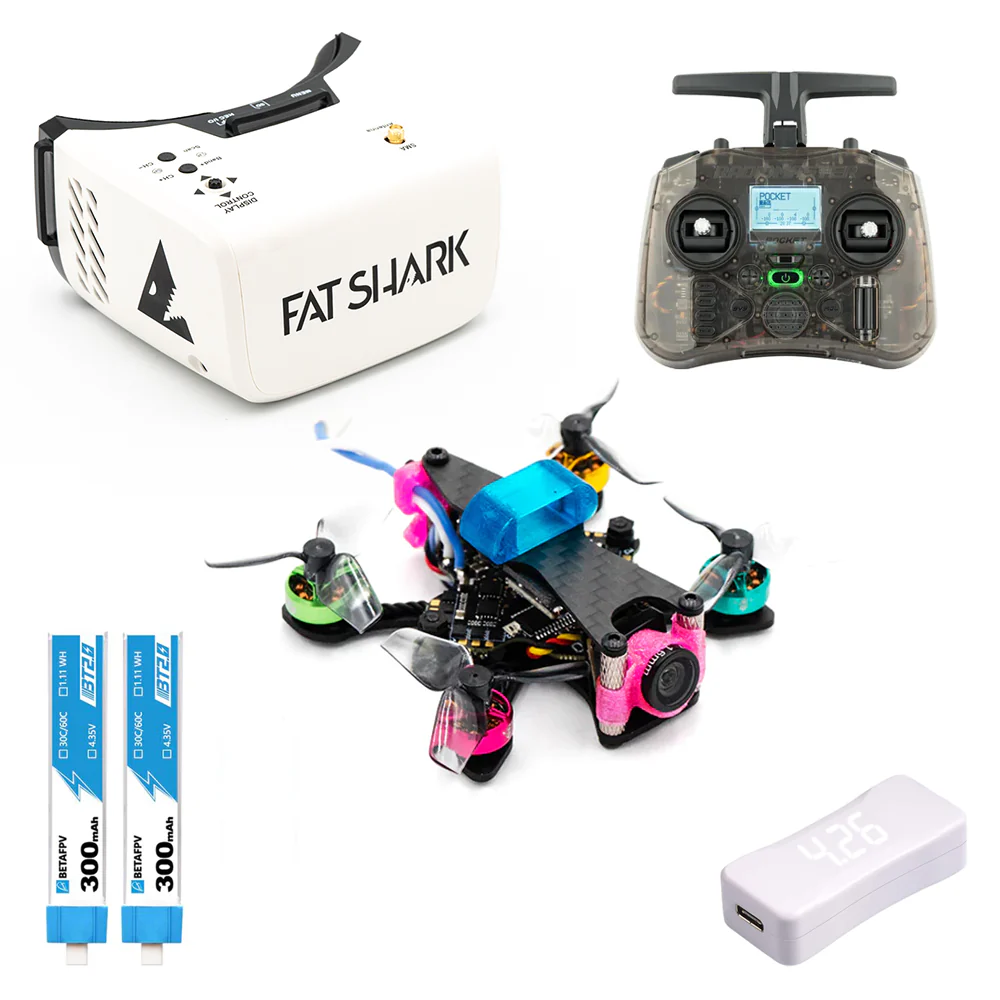
- Ready-To-Fly (RTF) Kits: These are excellent for beginners as they come with everything you need – drone, goggles, and radio transmitter – pre-assembled and pre-bound. You can often start flying within minutes of unboxing.
- Pros: Ease of entry, no complex building or setup, usually more affordable initially.
- Cons: Less customizable, you might outgrow the components quickly, limits understanding of drone mechanics.
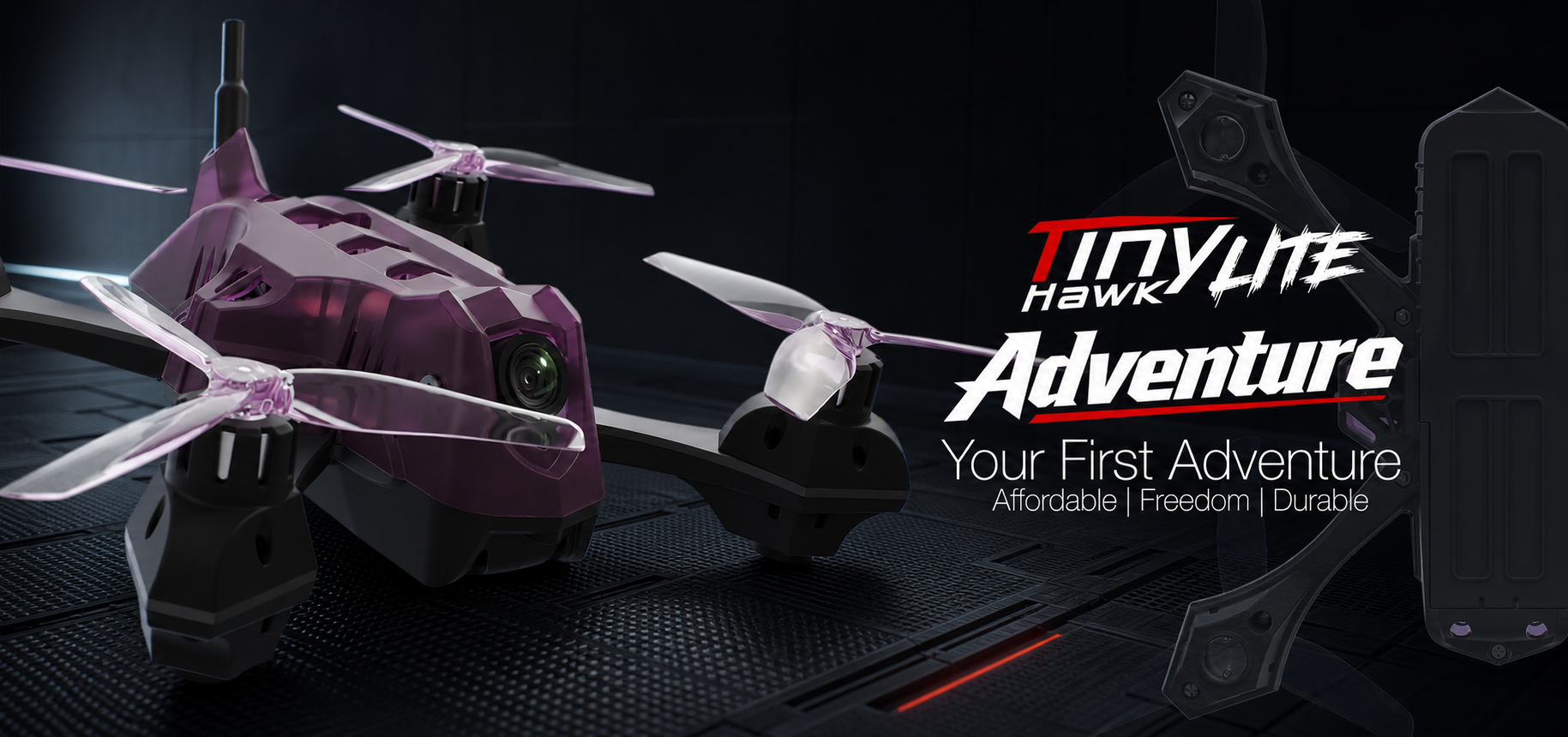
- Recommendations: Look for RTF kits from reputable brands like BetaFPV (e.g., Cetus series), EMAX (e.g., Tinyhawk series), or iFlight.
- Building Your Own Drone: This involves sourcing individual components and assembling them yourself.
- Pros: Deep understanding of your drone, complete customization, easier to repair and upgrade individual parts.
- Cons: Steep learning curve, requires soldering skills, more time-consuming, potentially higher initial cost.
Types of Beginner-Friendly Drones:
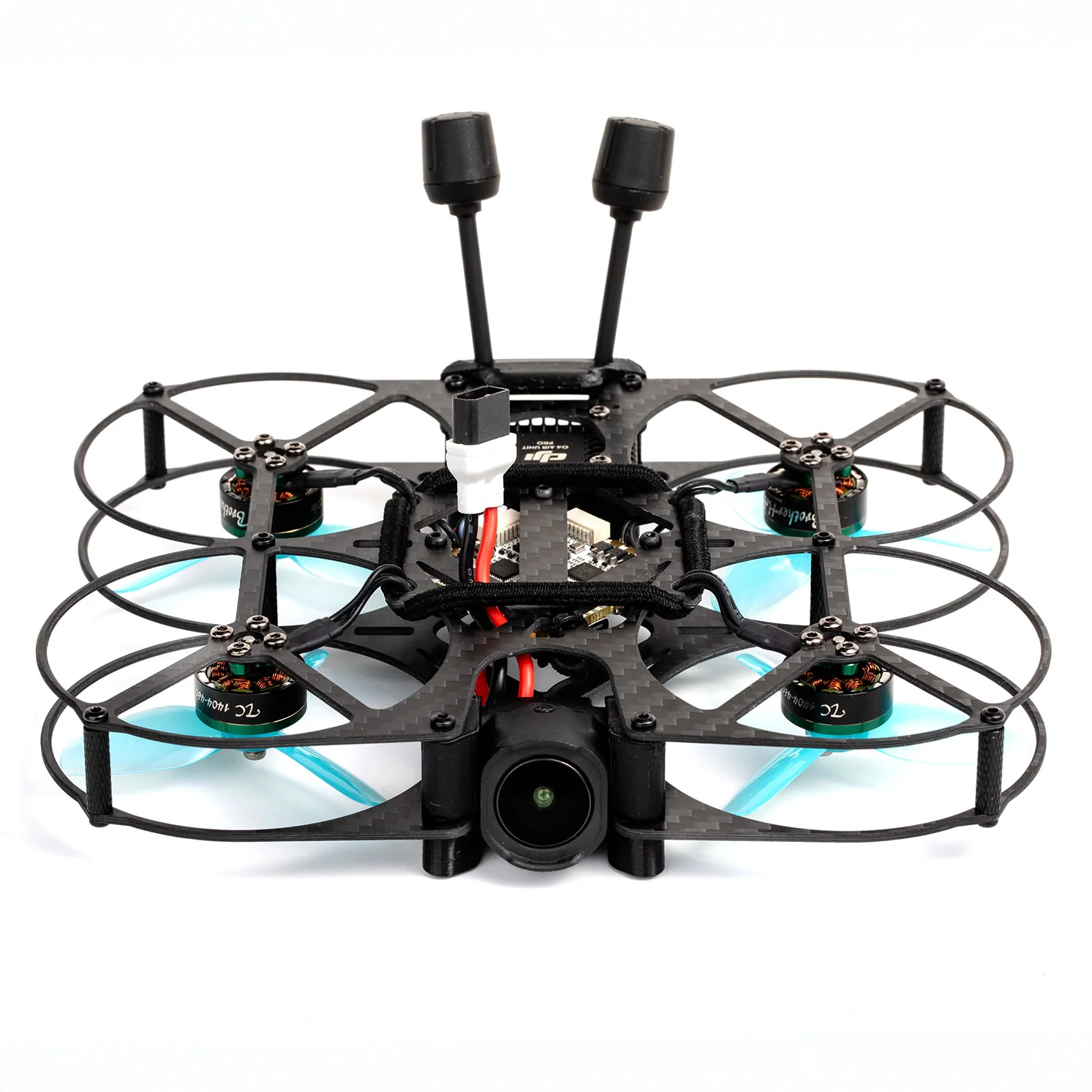
- Tiny Whoops: (e.g., BetaFPV Cetus Pro, Mobula7) These are small, lightweight ducted drones perfect for indoor flying. They are incredibly durable, safe to fly around people and furniture, and an excellent platform for learning basic controls in a confined space. Many FPV pilots start here.
- Toothpick Drones: (e.g., GepRC Phantom) A step up from Tiny Whoops, these are small, lightweight, and powerful drones that bridge the gap between indoor and outdoor flying. They offer more speed and agility than whoops but are still relatively safe for smaller outdoor areas.
- 5-inch Racing Drones: (e.g., iFlight Nazgul Evoque, EMAX Hawk 5) This is the standard size for competitive outdoor FPV racing. They are fast, powerful, and durable, designed for aggressive flying. While a 5-inch RTF kit can be a good starting point, many beginners find it beneficial to start with a smaller drone like a Tiny Whoop to develop skills before jumping to a full-size racer.
Pilot Tip: If you're unsure, start with a Tiny Whoop RTF kit. You'll learn the fundamentals without the intimidation or cost of a 5-inch crash. You can always upgrade later.
FPV Goggles: Your Immersive Viewport
Your goggles are your window into the FPV world. Choosing the right pair is crucial for an immersive and clear experience.
- Analog vs. Digital:
- Analog: Cheaper, very low latency (critical for racing), but lower resolution and prone to static/noise. Still widely used in racing due to latency.
- Digital: Higher resolution (HD), clearer image, but typically more expensive and can have slightly higher latency (though rapidly improving). Popular systems include DJI FPV (O3 Air Unit), Walksnail Avatar, and HDZero.
- Form Factor:
- Box Goggles: Larger, often cheaper, good for beginners, sometimes less immersive due to smaller screens. (e.g., Eachine EV800D)
- Compact Goggles: Smaller, binocular style, more immersive, usually more expensive. (e.g., Fat Shark Recon V3, Skyzone Cobra X)
Pilot Tip: Invest in decent goggles. They are a core component that you'll likely keep for a long time, even if you upgrade your drones. A clear, comfortable view makes a huge difference.
Radio Transmitter: Your Connection to the Drone
Your radio transmitter is your primary interface with the drone. Comfort, reliability, and low latency are key.
- Modes: Most pilots in the US and Europe fly Mode 2 (throttle and yaw on the left stick, pitch and roll on the right). Consistency is important.
- Protocols: This is how your radio communicates with your drone.
- ELRS (ExpressLRS): Currently the most popular, open-source, ultra-low latency, and excellent range. Highly recommended for new pilots.
- Crossfire (TBS): Very robust, long-range system, slightly higher latency than ELRS but incredibly reliable.
- Recommendations: Look for radios with quality gimbals (the sticks you control). Popular choices include the Radiomaster Zorro, Jumper T-Pro, or TBS Tango 2. These radios offer excellent features, multi-protocol support, and comfortable ergonomics.
Pilot Tip: Don't skimp on your radio. A comfortable radio with precise gimbals will significantly improve your flying and last you through many drone upgrades.
Powering Up: Batteries, Chargers, and Safety
LiPo (Lithium Polymer) batteries are the powerhouses of FPV drones. Understanding them is vital for performance and safety.
- LiPo Basics:
- Cell Count (S): Indicates voltage (e.g., 4S is 4 cells in series, ~14.8V; 6S is ~22.2V). Higher S-counts mean more power but require compatible components. Beginners often start with 3S or 4S for Tiny Whoops/Toothpicks and 4S or 6S for 5-inch drones.
- Capacity (mAh): Milliamp-hours, indicates how much charge the battery holds (e.g., 1300mAh for a 5-inch). More mAh means longer flight times but also more weight.
- C-Rating: Discharge rate. A higher C-rating means the battery can deliver more current, crucial for high-performance racing drones. Look for 75C or higher for racing.
- Chargers: You'll need a specialized LiPo balance charger (e.g., iSDT, HTRC). These chargers balance the voltage across individual cells, ensuring battery longevity and safety.
- Safety: LiPo batteries can be dangerous if mishandled.
- Always charge in a fire-safe LiPo bag or metal container.
- Never leave charging batteries unattended.
- Never over-discharge a LiPo (most flight controllers have voltage alarms).
- Inspect batteries for damage (puffs, tears) before and after every flight. Dispose of damaged batteries safely (e.g., at a hazardous waste facility).
Pilot Tip: Always keep your LiPo batteries at storage voltage (3.8V per cell) if you don't plan to fly them for more than a day or two. This prolongs their lifespan.
Taking Flight: From Virtual to Real-World Control
You've mastered the simulator, assembled your gear, and understand the components. Now, it's time for your first real flight!
Understanding Flight Modes: Acro vs. Angle Explained
Your flight controller software (like Betaflight) offers different flight modes that dramatically change how your drone behaves:
- Angle Mode (Self-Leveling): The drone automatically levels itself when you release the sticks. It's similar to how most consumer camera drones fly. This is easier for beginners to grasp initially as it prevents the drone from flipping over unintentionally.
- Acro Mode (Rate Mode): The drone does not self-level. Your stick inputs directly control the angular rate of the drone. When you release the sticks, the drone holds its last commanded angle. This mode provides full manual control, allowing for flips, rolls, and precise maneuvers essential for racing.
Pilot Tip: While Angle mode is tempting for initial flights, commit to learning Acro mode as early as possible on the simulator. All FPV racing happens in Acro, and the sooner you learn it, the faster you'll progress.
Your First Hover: Basic Controls and Orientation
For your very first real-world flights, follow these steps:
- Find a Safe Space: Choose a large, open area free from people, animals, obstacles, and water. A wide-open field is ideal.
- Pre-Flight Check: Double-check everything: props are on correctly and tight, battery is fully charged and securely strapped, antennas are attached, goggles are receiving a clear signal.
- Arming: With your drone on a level surface, arm the motors using your radio's arming switch (configured in Betaflight). The motors will spin slowly.
- Gentle Throttle: Slowly and gently increase the throttle stick. The drone will lift off. The goal is to get it to hover a meter or two off the ground.
- Basic Controls (in Acro):
- Throttle (Left Stick Up/Down - Mode 2): Controls altitude.
- Yaw (Left Stick Left/Right - Mode 2): Rotates the drone horizontally (like spinning on a vertical axis).
- Pitch (Right Stick Up/Down - Mode 2): Tilts the drone forward/backward.
- Roll (Right Stick Left/Right - Mode 2): Tilts the drone left/right.
- Maintain Orientation: Focus on keeping the drone's nose pointing away from you initially. Practice small adjustments to stay in one spot. Don't be afraid to disarm if you feel overwhelmed.
Pilot Tip: Keep your first flights short, low, and slow. Focus on smooth stick inputs rather than speed. Crashes will happen; learn from them.
Safety Protocols and Responsible Flying
FPV drones are powerful machines. Safety is paramount.
- Always Fly with a Spotter: Especially when starting, have someone with you who can keep an eye on the drone while your vision is restricted by goggles.
- Know Your Local Regulations: Research and understand your country's drone laws (e.g., FAA in the US, EASA in Europe, DGCA in Turkey). This includes registration requirements, no-fly zones, and altitude limits.
- Respect Privacy and Property: Never fly over people, private property without permission, or sensitive areas.
- Pre-Flight Checks: Make it a habit to perform a thorough check before every flight: props tight, battery secured, VTX channel clear, radio bound, no loose wires.
- Arm Safely: Always arm your drone on a level surface, away from your face and body. Disarm immediately after landing.
Beyond the Basics: Refining Your Skills and Setup
As you gain confidence, you'll want to refine your skills and optimize your drone for performance.
Mastering Race Lines and Gate Navigation
FPV racing gates setup involves finding the quickest path through a course. Mastering race lines is crucial for competitive racing:
- Apexes: Learn to hit the "apex" of turns – the innermost point of a curve – to maintain momentum and exit faster.
- Smoothness: Jerky inputs waste energy and time. Focus on smooth, flowing lines through gates and around obstacles.
- Look Ahead: Just like driving, always look ahead to the next gate or turn, not just the one you're currently passing. This helps you plan your trajectory.
- Throttle Management: Learn to modulate your throttle to maintain speed without overshooting or crashing.
Introduction to PID Tuning and Flight Controller Settings
The Flight Controller (FC) is the brain of your drone, and its settings, particularly PID (Proportional-Integral-Derivative) tuning, dictate how responsive and stable your drone feels.
- PID Explained Simply:
- P (Proportional): How aggressively the drone corrects itself to reach the commanded angle. Too high, and it oscillates; too low, and it feels sluggish.
- I (Integral): Eliminates long-term error, helping the drone hold its angle against external forces (like wind). Too high, and it can cause slow oscillations.
- D (Derivative): Damps oscillations and smooths out movements. Too high, and it can cause motor heat; too low, and it feels sloppy.
- Betaflight: Most FPV racing drones use Betaflight firmware. This powerful software allows you to configure virtually every aspect of your drone.
- Getting Started: For beginners, it's best to start with stock PID tunes or slightly modified popular tunes. Only make small, incremental changes one at a time, and test them thoroughly. Don't dive deep into tuning until you're a comfortable pilot.
Pilot Tip: "If it ain't broke, don't fix it." Stock Betaflight tunes are often excellent for beginners. Focus on flying first, then tinker with tuning.
Advanced Maneuvers: Power Loops, Rolls, and Flips
Once comfortable with basic acro, you can start learning more advanced maneuvers that are useful for both racing and freestyle:
- Power Loops: A vertical loop that involves flying up, rolling over the top, and diving down. Useful for quickly changing direction or clearing tall obstacles.
- Rolls and Flips: Mastering precise rolls (rotating along the longitudinal axis) and flips (rotating along the lateral axis) allows for creative lines and quick recoveries in racing.
- Split-S: A half-roll followed by a half-loop, used to quickly drop altitude and reverse direction.
Pilot Tip: Always practice advanced maneuvers extensively in the simulator before attempting them with your real drone. This reduces the risk of crashes significantly.
Troubleshooting Common Issues and Maintenance Tips
Even experienced pilots encounter issues. Knowing basic troubleshooting and maintenance can save you time and money.
- Common Issues:
- Video Signal Loss/Static: Check VTX power, antenna connection, and channel settings.
- Motor Not Spinning: Check for bent props, loose motor screws, or burnt ESC/motor wires.
- Drone Won't Arm: Check arming conditions in Betaflight (e.g., low battery, throttle too high, accelerometer calibration).
- Loss of Control: Check radio binding, receiver connection, or antenna damage.
- Maintenance Tips:
- Inspect Props: Always check for bent, cracked, or chipped propellers before and after every flight. Replace immediately if damaged.
- Tighten Screws: Vibration can loosen screws. Periodically check all frame, motor, and stack screws.
- Clean: Remove dirt, grass, and debris from motors and electronics.
- Check Wires: Inspect for frayed, cut, or pinched wires, especially to motors, camera, and VTX.
- Learn Basic Soldering: This is an invaluable skill for FPV pilots, allowing you to repair components and save on replacement costs.
Joining the Grid: Your First FPV Race
After countless hours of practice and honing your skills, you're ready to experience the thrill of competitive FPV racing.
Finding Your Local FPV Community and Events
The FPV community is incredibly welcoming. Here's how to connect:
- Online Forums & Social Media: Join local FPV groups on Facebook or dedicated FPV forums. Search for "[Your City/Region] FPV" or "Drone Racing [Your Country]".
- MultiGP: This is a global league for FPV drone racing. Check their website (MultiGP.com) for local chapters and upcoming events in your area.
- Local Hobby Shops: Sometimes, local hobby stores that sell FPV gear will have information about local clubs or events.
Don't be shy! Reach out, ask questions, and attend meetups even if you're not ready to race. The community support is one of the best parts of FPV.
Understanding Race Formats and Rules
Most FPV races follow similar basic structures:
- Time Trials: Pilots fly the course individually, and their fastest lap time determines their ranking.
- Head-to-Head (Heat Racing): Multiple pilots (often 3-4) race simultaneously on the track. The first to complete a set number of laps wins the heat.
- Transponders: Drones are often equipped with transponders that automatically log lap times as you pass through a start/finish gate.
- Basic Rules: Generally, you must fly through all gates in the correct direction. Missing gates or cutting the course results in penalties or disqualification for that lap.
The Spirit of Competition: Sportsmanship and Learning
Your first race is a monumental step. Remember:
- Focus on Experience, Not Just Winning: Your primary goal should be to complete the course, learn, and have fun. Don't be discouraged if you're not the fastest; everyone starts somewhere.
- Learn from Others: Observe experienced pilots, ask them for tips, and watch their lines. Most pilots are happy to share their knowledge.
- Sportsmanship: Be respectful of other pilots, race marshals, and equipment. Help retrieve downed drones, offer encouragement, and enjoy the camaraderie.
Pilot Tip: Charge all your batteries, bring spare props, and double-check your drone the night before the race. Arrive early to get comfortable with the track layout.
Frequently Asked Questions About FPV Racing
How much does it cost to start FPV racing?
Starting costs can vary widely, but a decent beginner RTF kit including drone, goggles, and radio can range from $300-$600. Simulators are much cheaper, often under $50. Ongoing costs include batteries and replacement parts.
Is FPV racing difficult to learn for beginners?
FPV racing has a steep learning curve, especially mastering 'Acro' mode. However, with consistent simulator practice and patience, anyone can learn. The initial challenge is part of the reward!
What's the best first drone for FPV racing?
For absolute beginners, a 'Tiny Whoop' (small indoor drone) is excellent for learning controls in a safe environment. For outdoor racing, a 5-inch Ready-To-Fly (RTF) kit from a reputable brand is often recommended as it provides all necessary components in one package.
Can I race FPV drones indoors?
Yes! Smaller drones like Tiny Whoops or Toothpicks are perfect for indoor racing, often in school gyms or dedicated indoor tracks. This is a great way to practice year-round.
How long does it take to become a good FPV pilot?
Becoming 'good' is subjective, but with dedicated practice (1-2 hours daily on a simulator for a few weeks, then real-world practice), you can become proficient enough to enjoy racing within a few months. Mastery takes years of consistent effort.
Conclusion
The journey into FPV racing is an incredibly rewarding one, filled with challenges, triumphs, and an unparalleled sense of freedom. From the virtual tracks of your simulator to the thrilling gates of your first real race, every step builds your skill and confidence. Remember to prioritize safety, embrace the learning process, and connect with the vibrant FPV community. Now that you have your progression path, it's time to take the plunge. Grab your gear, charge your batteries, and prepare to redefine your perception of flight. The skies are calling – are you ready to answer? Start your FPV racing adventure today!
Copyright-safe media generated locally by FPVLovers