FAI Confirms 15 Drone Racing World Cup Events for 2026 Season
An overview of the FAI's commitment to drone racing with a significant number of sanctioned World Cup events planned for the upcoming 2026 calendar year.
FAI Confirms 15 Drone Racing World Cup Events for 2026 Season
FPV Racing Guide: From Simulator to First Race Victory
Ready to dominate FPV racing? Our ultimate guide takes you from simulator basics to advanced drone techniques. Learn setup, practice tips, and avoid common pitfalls. Start your FPV journey now!
Ever dreamt of piloting a high-speed drone through a complex course, feeling every turn and acceleration as if you were in the cockpit? FPV (First Person View) racing isn't just a hobby; it's an adrenaline-fueled sport that combines precision piloting, engineering savvy, and lightning-fast reflexes. This isn't just a guide; it's your 'Pilot's Roadmap' – a comprehensive tutorial designed to take you from your very first simulator session to confidently lining up at the starting gate of your first real-world FPV race. We'll demystify the gear, break down the techniques, and equip you with the knowledge to not just participate, but to truly compete. Are you ready to take flight?
The Launchpad: Understanding FPV Racing & Its Appeal
What is FPV Racing? A High-Speed Overview
FPV racing is an electrifying sport where pilots navigate high-performance drones through a three-dimensional course, often marked by gates, flags, and obstacles, all while viewing the action through FPV goggles connected to a camera on their drone. The objective is simple: complete the course in the fastest time possible, often competing head-to-head with other pilots.
Imagine sitting in the cockpit of a miniature jet, weaving through an obstacle course at breakneck speeds – that's the immersive experience FPV racing offers. It's a unique blend of cutting-edge technology, requiring deep understanding of electronics and aerodynamics, combined with raw piloting skill, lightning-fast decision-making, and immense precision. Every turn, every acceleration, every dive is felt directly, creating an unmatched sense of connection to the machine.
FPV Racing vs. Freestyle: Finding Your Niche
While both FPV racing and FPV freestyle involve flying drones in first-person view, they are distinct disciplines with different demands and drone characteristics. Understanding these differences is crucial for aspiring pilots to choose their path.
-
FPV Racing:
- Objective: Speed and precision through a defined course.
- Drone Characteristics: Often lighter, more aerodynamic frames (e.g., stretched-X), powerful motors optimized for straight-line speed and quick turns, minimal extra weight. Durability is important, but performance often takes precedence.
- Pilot Mindset: Focus on optimal racing lines, consistent lap times, and aggressive but controlled maneuvers.
- Common Drone Size: Typically 5-inch propeller drones.
-
FPV Freestyle:
- Objective: Creative, acrobatic maneuvers (e.g., flips, rolls, dives, power loops, gap flying) in open spaces.
- Drone Characteristics: More durable frames (e.g., true-X or wider-X) to withstand crashes, often slightly heavier for stability during complex tricks, motors optimized for torque and responsiveness.
- Pilot Mindset: Creativity, flow, pushing the limits of what's possible, and expressing individuality through flight.
- Common Drone Size: Also typically 5-inch, but can range from tiny whoops to larger cinematic rigs.
While some skills overlap, a racing drone is typically tuned for raw speed and cornering, whereas a freestyle drone might prioritize a "locked-in" feel for smooth cinematic moves or aggressive trick execution. For this guide, our focus is squarely on the thrill of the race!
Why Join the Race? The Thrill and Community
Beyond the pure exhilaration of speed and control, FPV racing offers a multitude of compelling reasons to get involved:
- Personal Challenge & Skill Development: Mastering FPV racing is a continuous journey. You'll develop incredible hand-eye coordination, spatial awareness, and problem-solving skills that translate far beyond the drone world.
- Adrenaline Rush: There's nothing quite like the heart-pounding sensation of pushing your drone to its limits, narrowly clearing a gate, and feeling the G-forces (virtually) as you slingshot around a corner.
- Vibrant Global Community: FPV racing boasts an incredibly supportive and passionate community. From local clubs to international leagues like MultiGP and the Drone Racing League (DRL), you'll find fellow enthusiasts eager to share knowledge, race alongside you, and celebrate your successes.
- Technological Exploration: FPV is at the forefront of drone technology. You'll constantly learn about new components, software (like Betaflight), and flight dynamics, keeping your mind engaged and curious.
- Competitive Spirit: For those with a competitive streak, FPV racing offers a structured environment to test your mettle against others, track your progress, and strive for victory.
Your Digital Training Ground: Mastering the FPV Simulator
Before you invest in expensive hardware and risk damaging it, the FPV simulator is your absolute best friend. It's where you'll build muscle memory, learn controls, and practice relentlessly without consequence.
Choosing Your First FPV Simulator
Several excellent FPV racing simulators are available, each with its strengths:
- Velocidrone: Widely regarded for its highly realistic physics, especially for racing. Many pro racers use it for training. It offers a vast array of community-created tracks and drones. If racing is your primary goal, start here.
- DRL Simulator: The official simulator of the Drone Racing League. It features real-world DRL tracks and a good learning progression. Graphics are decent, and it's a great way to experience official courses.
- Liftoff: FPV Drone Racing: Offers beautiful graphics, a wide variety of environments, and a good balance of realism and accessibility. It's very popular and has a strong community, making it a good all-rounder.
- Uncrashed FPV Drone Simulator: Known for its stunning graphics and immersive environments, offering a very realistic visual experience. Physics are also very good, making it a strong contender.
Tip: Try demos if available, or watch YouTube reviews to see which simulator's physics and interface resonate most with you. Velocidrone is often the top recommendation for serious racers due to its physics accuracy.
Setting Up Your Controller for Optimal Performance
Your FPV radio transmitter (controller) is the direct link to your drone, even in the simulator. Proper setup is crucial:
- Connect Your Radio: Most modern FPV radios (like the Radiomaster Zorro, Radiomaster Pocket, or Jumper T-Pro) can connect to your PC via a USB-C cable. Ensure it's set to "Joystick" or "HID" mode in the radio's system menu.
- Calibrate in Simulator: Once connected, the simulator will usually prompt you to calibrate your sticks. Follow the on-screen instructions, moving each stick through its full range of motion.
- Stick Modes (Mode 1 vs. Mode 2):
- Mode 2 (Most Common): Left stick controls throttle and yaw (left/right rotation). Right stick controls pitch (forward/backward) and roll (side-to-side). This is the standard in North America and much of Europe.
- Mode 1: Left stick controls pitch and yaw. Right stick controls throttle and roll. More common in some Asian countries.
- Choose the mode you plan to use in real life and stick with it from day one. Consistency is key!
- Basic Settings: Start with default rates and expo settings in the simulator. As you gain confidence, you can experiment with increasing rates for more responsiveness and adding a small amount of expo (exponential) to soften the stick feel around the center, giving you finer control for precision maneuvers.
Essential Drills: Building Core Flying Skills
Start slow and build a strong foundation. Don't rush into advanced tricks.
- Hovering & Altitude Control: Practice holding a steady hover at a consistent altitude. Move slightly forward, backward, left, right, then return to hover. This builds fundamental throttle and stick control.
- Figure-Eights: Set up two imaginary points and fly smooth figure-eights, focusing on consistent turns and maintaining altitude. Alternate directions.
- Gate Practice (Slow & Deliberate): Fly through gates one at a time, focusing on entering and exiting cleanly. Don't worry about speed initially. Gradually string multiple gates together.
- Yaw Turns: Practice smooth turns using only yaw, then combine yaw with roll for coordinated turns, which are essential for racing.
- Maintaining a Straight Line: Fly across the map in a perfectly straight line, then turn 180 degrees and fly back. This helps with fine stick adjustments.
From Basic Control to Advanced Maneuvers
Once you're comfortable with the basics, it's time to push your limits:
- Power Loops: A classic FPV maneuver where you fly up and over an obstacle (like a gate or tree) and dive back down. Start with large, gentle loops, then tighten them.
- Split-S: A rapid 180-degree turn and direction change. Fly forward, roll 180 degrees (upside down), then pull back on pitch, completing a half-loop to fly in the opposite direction right-side up.
- Racing Lines: Learn to cut corners efficiently. Instead of flying around a gate, try to fly through it on the optimal line that sets you up for the next obstacle.
- Replay Analysis: Most simulators offer replay features. Use them! Watch your own laps, identify where you lost time, where your lines were sloppy, or where you could have been smoother or faster. Compare your lines to faster AI or ghost pilots.
Pilot Tip: Consistency over speed! It's better to fly 10 consistent, clean laps than one super-fast, crash-filled lap. Speed will come naturally with consistency.
Assembling Your Arsenal: Essential FPV Racing Gear
Moving from the simulator to the real world requires a significant gear investment. Here’s a breakdown of what you'll need.
The Core Trio: Drone, Goggles, and Radio Transmitter
These are the three absolute necessities to get started:
- FPV Drone (Quad): For racing, a 5-inch propeller quadcopter is the standard. These are powerful, fast, and relatively easy to work on.
- FPV Goggles:
- Analog: More affordable, lower resolution, but often have less latency. Great for beginners on a budget. Examples: Eachine EV800D (box goggles), Fat Shark HDO2 / Dominator V3 (goggle style).
- Digital: Higher resolution, clearer image, but typically more expensive and can have slightly higher latency (though rapidly improving). Examples: DJI FPV Goggles V2 / Goggles 2 / Goggles Integra, Walksnail Avatar HD Goggles, HDZero Goggles.
- Consider your budget and future goals. Digital offers a vastly superior visual experience, but analog is a perfectly viable and cheaper entry point.
- Radio Transmitter (Controller): This is what you hold in your hands.
- Protocols: Look for radios supporting modern, low-latency protocols like ExpressLRS (ELRS), Crossfire (TBS), or Ghost (Immortal T). ELRS is currently the most popular for its low cost, excellent range, and low latency.
- Examples: Radiomaster Zorro, Radiomaster Pocket, Radiomaster TX16S (full-size), Jumper T-Pro. Choose one that feels comfortable in your hands.
Drone Components Explained: Frame, Motors, ESCs, Flight Controllers
For those considering building or understanding their RTF drone:
- Frame: The skeleton of your drone, almost always carbon fiber for strength and lightness. For 5-inch racing, common designs are "X" or "Stretched-X" (where the front-to-back motor distance is longer than side-to-side, often preferred for racing stability at speed).
- Motors: Brushless motors are categorized by size (e.g., 2207, 2306) and KV rating (e.g., 1750KV, 2400KV).
- KV: Kilovolts per minute. Higher KV means more RPM per volt, often paired with lower voltage batteries (e.g., 2400KV for 4S LiPo). Lower KV means less RPM per volt, paired with higher voltage batteries for more torque and efficiency (e.g., 1750KV for 6S LiPo, common in racing).
- ESCs (Electronic Speed Controllers): These convert the flight controller's signals into power for the motors. Modern racing drones use 4-in-1 ESCs, integrating all four ESCs onto a single board, simplifying wiring. Look for appropriate amperage ratings (e.g., 45A, 60A per motor) for your chosen motors and battery voltage.
- Flight Controller (FC): The "brain" of the drone. It takes inputs from your radio, sensors (accelerometer, gyroscope), and runs firmware like Betaflight. It sends signals to the ESCs. Modern FCs often integrate a PDB (Power Distribution Board) and various ports for VTX, RX, GPS, etc. Common processor types are F4, F7, and H7, with F7 and H7 offering more processing power for advanced features.
- VTX (Video Transmitter): Sends the camera's video feed to your FPV goggles. Analog VTXs (e.g., Caddx Ratel, RunCam Phoenix) transmit on specific frequencies. Digital systems (DJI, Walksnail, HDZero) have their own integrated VTXs.
- FPV Camera: The "eyes" of your drone. Various models from brands like Caddx, RunCam, Foxeer offer different image quality, low-light performance, and latency.
- Receiver (RX): Communicates with your radio transmitter. Must be compatible with your radio's protocol (e.g., ELRS receiver for an ELRS radio).
Powering Up: Batteries, Chargers, and Accessories
- LiPo Batteries: The power source.
- Cell Count (S): 4S (14.8V) is a great starting point for beginners, offering good power. 6S (22.2V) provides more power and efficiency, common for experienced racers.
- Capacity (mAh): For 5-inch racing, 1300mAh to 1500mAh is typical.
- C-Rating: Indicates how quickly the battery can safely discharge. Higher C-ratings (e.g., 75C, 100C, 120C) are preferred for racing to handle high current demands without voltage sag.
- LiPo Charger: A balance charger (e.g., ISDT Q6 Nano, HTRC T240 DUO) is essential for safely charging and maintaining your LiPo batteries. Always charge in a fire-safe location, preferably in a LiPo bag, and never leave unattended.
- Crucial Accessories:
- Spare Propellers: You will crash and break props. Buy many! Brands like Gemfan, HQProp, Ethix are popular.
- Prop Wrench: For changing props.
- LiPo Checker: To quickly check battery voltage.
- Basic Soldering Gear: A good soldering iron (e.g., TS101, Pinecil), solder, flux, and wick for repairs.
- Zip Ties & Heat Shrink: For securing components and protecting wiring.
- Multimeter: Invaluable for diagnosing electrical issues.
RTF vs. Building Your Own: Making the Right Choice
- Ready-To-Fly (RTF) Kits:
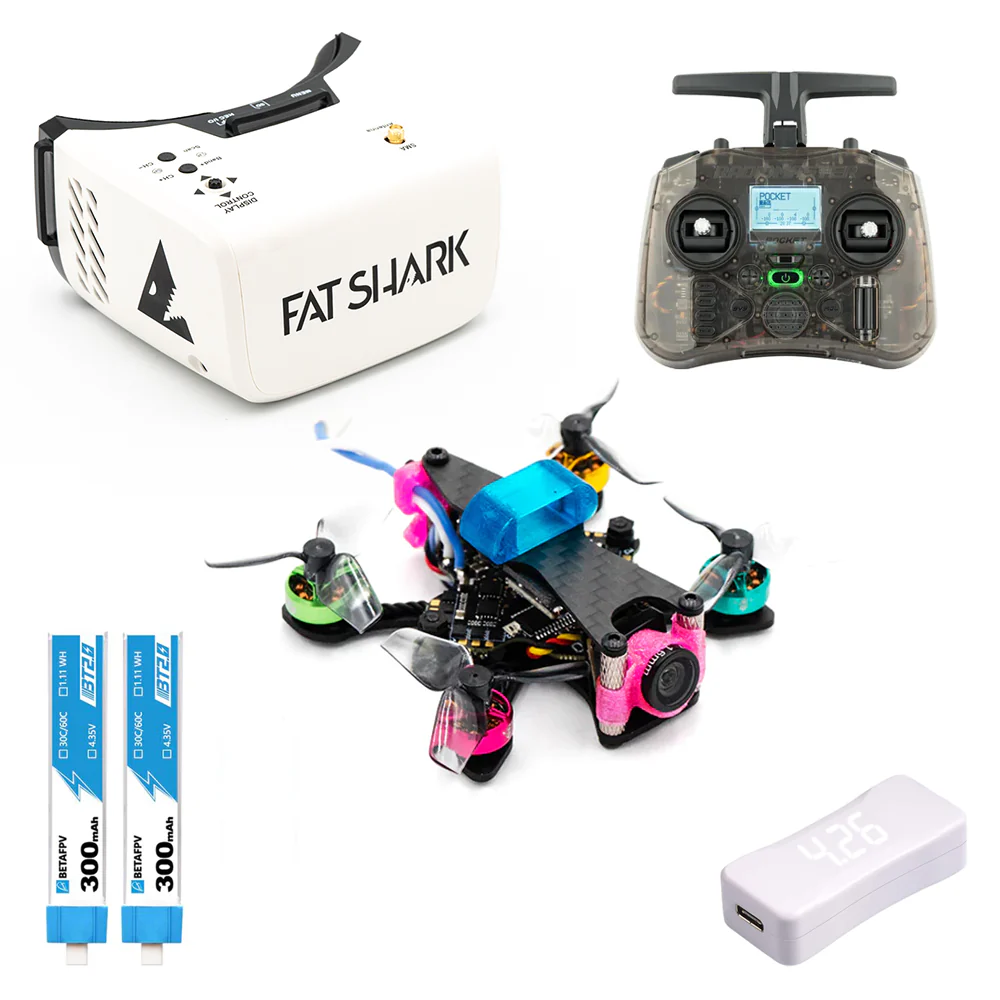
- Pros: Quickest way to get in the air. Often includes everything (drone, goggles, radio). Good for absolute beginners who want to fly immediately.
- Cons: Less understanding of individual components. Can be harder to diagnose and repair issues. May not have top-tier racing performance.
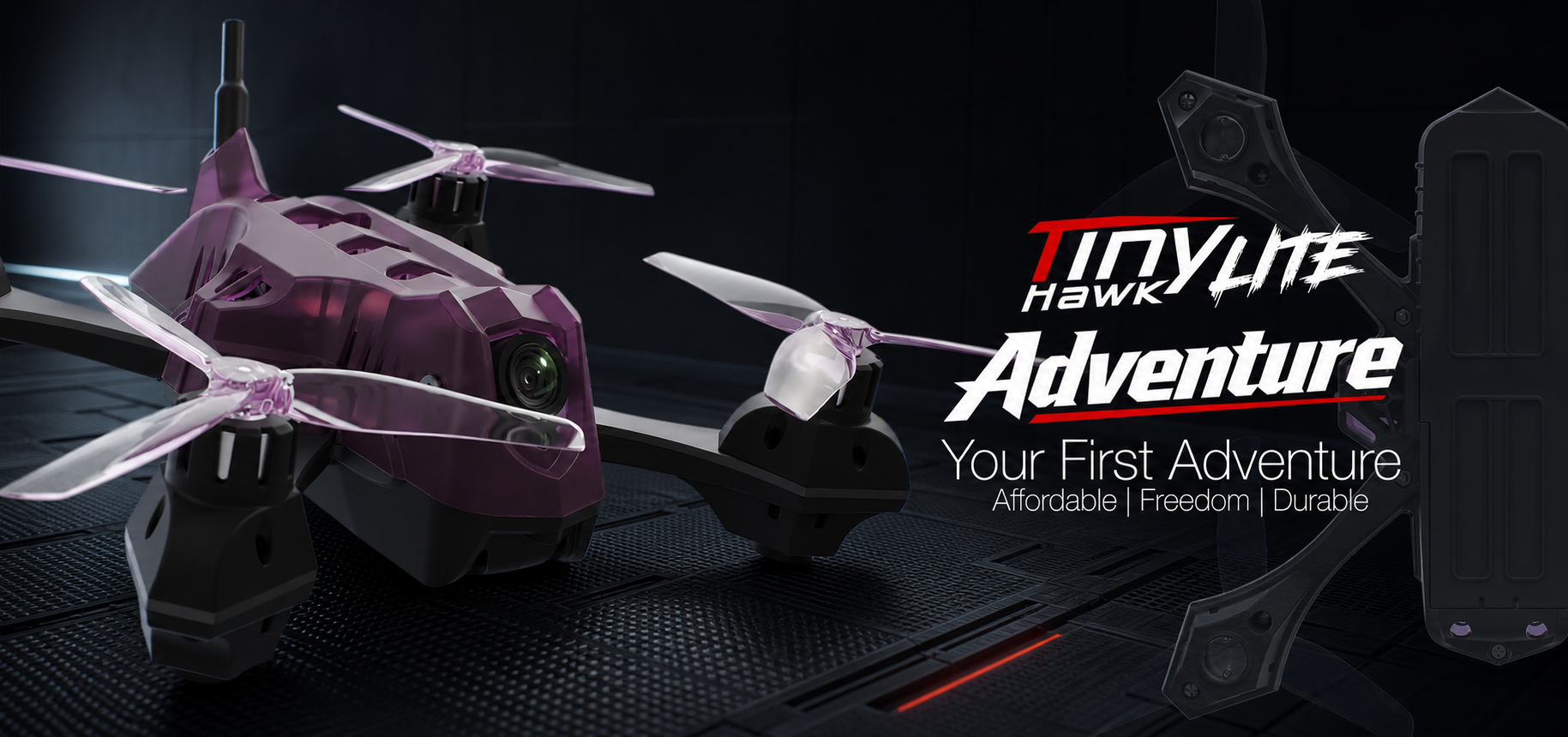
- Recommendation: Good for learning the very basics of flight. Examples like the EMAX Tinyhawk III are great for indoor/garden practice, though they are smaller "whoop" style drones, not full 5-inch racers. For a 5-inch RTF, research thoroughly for reputable brands.
- Building Your Own:
- Pros: Deep understanding of how everything works, which is invaluable for troubleshooting and repairs. Customization to your exact preferences. Often results in a higher-performance and more durable drone in the long run.
- Cons: Steeper learning curve, requires soldering skills, takes time and patience.
- Recommendation: If you're serious about FPV racing and enjoy tinkering, building is the way to go. Start with a good build guide on YouTube or forums.
Pilot Tip: Even if you start with an RTF, learning basic soldering and component replacement will save you money and downtime in the long run.
From Parts to Performance: Building & Tuning Your Racing Drone
Once you have your gear, it's time to bring your racing machine to life.
Assembling Your First Racing Quad (or Inspecting an RTF)
For builders, this involves carefully mounting components, soldering connections, and routing wires neatly. Key steps include:
- Frame Assembly: Mount standoffs and bottom plate.
- Motor Mounting: Secure motors to arms.
- ESC & FC Stacking: Mount the 4-in-1 ESC and Flight Controller, typically stacked with soft mounts to reduce vibrations.
- Wiring: Solder motor wires to ESC, ESC to FC, VTX to FC, camera to FC, and receiver to FC.
- Antennas: Mount your VTX antenna (e.g., Rush Cherry, Foxeer Lollipop) and receiver antennas (e.g., ELRS T-antenna).
- Final Touches: Secure components with zip ties, heat shrink, and double-sided tape.
For RTF users, perform a thorough initial inspection:
- Check all solder joints for cleanliness and strength.
- Ensure all wires are properly routed and secured, away from spinning propellers.
- Verify prop direction (leading edge should spin towards the front of the drone on the front motors, and towards the rear on the rear motors – check Betaflight's motor tab for visual confirmation).
Betaflight & Flight Controller Configuration Essentials
Betaflight is the most popular flight control firmware for FPV drones.
- Install Betaflight Configurator: Download the latest version from GitHub.
- Flash Firmware: Connect your FC via USB. In Configurator, go to the "Firmware Flasher" tab. Select your board type and the latest stable Betaflight version. Click "Load Firmware [Online]" and then "Flash Firmware."
- Connect & Initial Setup: Once flashed, reconnect. Go through the initial setup wizard.
- Accelerometer Calibration: Crucial for accurate self-leveling modes (Angle/Horizon). Place your drone on a perfectly level surface and calibrate.
- Receiver Tab: Power your drone (props off!) and radio. In the "Receiver" tab, verify that all stick inputs (Roll, Pitch, Yaw, Throttle) respond correctly and move in the right direction. Adjust channel mapping if needed.
- Modes Tab: Set up your arming switch (essential for safety!), and assign switches for Angle/Horizon modes (for initial learning) and Acro mode (for racing).
- Angle Mode: Self-levels the drone. Good for absolute beginners.
- Horizon Mode: Self-levels when sticks are near center, but allows flips/rolls at stick extremes.
- Acro Mode (Rate Mode): No self-leveling. The drone holds its last commanded angle. This is the only mode used for racing and advanced freestyle. It offers full control.
Radio Binding, Failsafe, and Initial Checks
These steps are critical for safety and control:
- Radio Binding: This links your radio transmitter to your drone's receiver. The process varies by protocol (e.g., ELRS uses a bind phrase or button press). Follow your receiver/radio manual carefully.
- Failsafe Setup: This is a crucial safety feature. In Betaflight, configure failsafe to disarm and drop your drone if it loses signal from your radio. This prevents a "flyaway" drone. Test it by arming your drone (props off!) and then turning off your radio. The drone should disarm.
- Pre-Arm Checks: Before every flight:
- PROPS OFF during all configuration and bench testing.
- Check battery voltage.
- Ensure all connections are secure.
- Verify stick inputs in Betaflight.
- Listen for ESC beeps (indicating initialization).
- Always arm in a safe, open area, away from people.
Basic PID Tuning and Rate Adjustments for Responsiveness
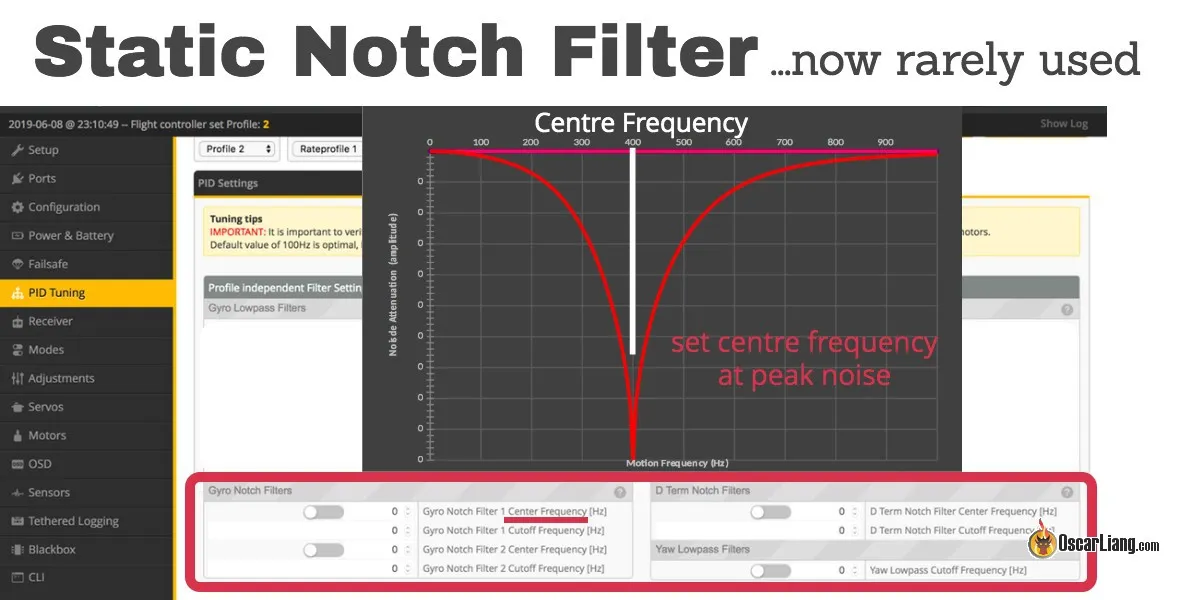
- PIDs (Proportional, Integral, Derivative): These are complex control loops that tell your drone how to react to stick inputs and disturbances.
- Proportional (P): How strongly the drone reacts to an error (difference between desired and actual angle).
- Integral (I): Corrects for persistent errors over time (e.g., drift).
- Derivative (D): Damps oscillations and provides predictive control.
- Pilot Tip: For beginners, the default Betaflight PIDs are often an excellent starting point and perfectly flyable. Don't dive into complex tuning immediately.
- Rates: These define how sensitive your sticks are to input.
- RC Rate / Super Rate / Expo: These settings in Betaflight's "Rates" tab determine how fast your drone rotates (roll, pitch, yaw) in response to stick movement.
- Start with lower rates: This makes the drone less twitchy and easier to control. As your skills improve, gradually increase your rates for faster, more agile maneuvers, which is essential for competitive racing.
- Expo: Adds a "dead zone" of less sensitivity around the center of the stick, allowing for fine adjustments, while still giving full throw at the stick extremes. A small amount of expo (e.g., 0.10-0.20) is common.
The Race Track Awaits: Mastering Techniques & Practice Strategies
You've honed your skills in the simulator, built and configured your drone. Now it's time for the real track!
Decoding the Track: Gates, Flags, and Optimal Lines
When you arrive at a race track, whether it's a casual meetup or an organized event, the first thing to do is walk the course.
- Analyze the Layout: Identify all gates, flags, and obstacles. Understand the flow of the track.
- Plan Your Lines: The "optimal racing line" isn't always the shortest. It's the line that allows you to carry the most speed through the entire course, setting you up perfectly for the next element.
- Wide Entry, Tight Apex, Early Exit: This classic racing principle applies to FPV. Approach a corner wide, cut in tightly at the apex (the innermost point of the turn), and then exit wide, allowing you to straighten out and accelerate sooner.
- Identify Chokepoints: Where are the tightest gates or most challenging turns? These are where you'll gain or lose the most time. Practice these sections specifically.
- Visualization: Mentally "fly" the course several times before you even put on your goggles.
Advanced Racing Techniques: Power Loops, Splits, and Cornering
Mastering these maneuvers will shave seconds off your lap times:
- Power Loops over Gates: Instead of flying around a tall gate, power up and over it in a tight loop, diving down through the next gate. This maintains forward momentum and can be significantly faster. Practice in the simulator first!
- Split-S Turns: Use this for rapid 180-degree changes in direction. It's an efficient way to turn around quickly while maintaining speed.
- Smooth Cornering: This is arguably the most crucial racing skill. It involves a delicate balance of roll, yaw, and throttle.
- Throttle Control: Don't just hold full throttle. Learn to feather the throttle to maintain speed through turns without overshooting or losing control.
- Coordinated Turns: Use a blend of roll (tilting the drone) and yaw (rotating it) to make smooth, arcing turns. Avoid "skidding" with too much yaw without enough roll.
- Momentum Management: Focus on carrying speed through the entire course. Hard braking and sudden acceleration waste energy and time.
Structured Practice: Drills, Replay Analysis, and Consistency
Effective practice is intentional and structured:
- Set Up Mini-Tracks: Even a few cones or PVC pipes in an open field can become a mini-track. Practice specific sections of a race course repeatedly.
- Focused Drills: Instead of just flying laps, dedicate sessions to specific skills: 10 minutes on power loops, 10 minutes on tight turns, 10 minutes on gate weaving.
- Record Your Flights (DVR): Most FPV goggles have a DVR function. Record your flights and watch them back after your session.
- Analyze Mistakes: Where did you crash? Where were you slow? Where could your line have been better?
- Compare: If possible, compare your footage to faster pilots on the same track.
- Lap Timers: Use an FPV lap timer system (e.g., MultiGP, RotorHazard) if available, or even just a stopwatch, to track your progress and identify areas for improvement.
- Consistency is King: Focus on flying clean, consistent laps before chasing absolute top speed. A slightly slower but consistent lap is better than a fast lap followed by a crash.
Mental Preparation & Race Day Logistics
Racing isn't just about stick skills; it's also about mental fortitude.
- Manage Nerves: It's natural to be nervous. Take deep breaths, visualize your optimal lines, and remind yourself that it's about having fun and improving.
- Maintain Focus: Block out distractions. Concentrate solely on the track ahead and your drone's position.
- Race Day Logistics:
- Charge Everything: All your LiPo batteries (drone, goggles, radio), fully charged.
- Spare Parts & Tools: Bring spare props, zip ties, a prop wrench, basic soldering gear, and any tools you might need for quick repairs.
- Pit Setup: Bring a comfortable chair, water, and snacks.
- Frequency Management: At organized races, you'll be assigned a specific VTX frequency. Ensure you are on the correct channel to avoid interfering with other pilots.
- Marshalling: Be ready to help marshal (retrieve crashed drones) for other pilots when it's not your turn to fly. It's part of the community spirit.
- Respect Etiquette: Be polite, follow rules, and learn from others.
FPV Racing FAQs
How do I get started with FPV racing?
Start with an FPV simulator (like Velocidrone) and a good radio transmitter. Once comfortable, invest in a durable Ready-To-Fly (RTF) beginner racing drone or assemble a basic 5-inch quad kit. Find local FPV communities or clubs for guidance and practice.
What essential gear do I need for FPV racing?
The core gear includes:
- An FPV racing drone (typically a 5-inch quad).
- FPV goggles (analog for budget, digital for clarity).
- A radio transmitter (controller) with a low-latency protocol (e.g., ExpressLRS).
- Multiple LiPo batteries (4S or 6S) and a balance charger.
- Plenty of spare propellers and basic tools.
What are the best FPV racing drones for beginners?
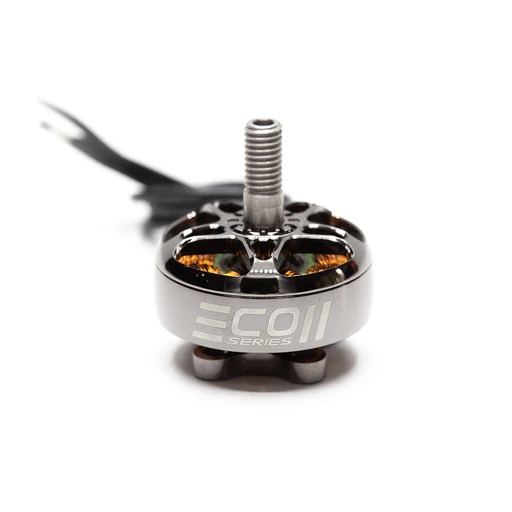
For beginners, look for durable 5-inch quads or kits that are easy to repair. While there aren't many "beginner-specific" 5-inch racing RTFs, starting with a good component combination (e.g., a sturdy frame like a GEPRC Mark5 or iFlight Nazgul Evoque with reliable motors like EMAX ECO II or T-Motor F40 Pro IV, a robust 4-in-1 ESC, and an F7 flight controller) will serve you well. For a truly beginner-friendly learning drone, a smaller EMAX Tinyhawk III (though a whoop, not a 5-inch racer) is excellent for indoor and garden practice before moving to a full-size racer.
How can I improve my FPV racing skills and speed?
Consistent practice is key. Spend dedicated time in a realistic FPV simulator daily. When flying in real life, focus on structured drills, analyze your flight footage (DVR), and actively seek feedback from more experienced pilots. Don't always chase speed; focus on clean, consistent lines first.
What are effective practice methods for FPV racing (simulators, real world)?
Simulator:
- Basic Drills: Hovering, figure-eights, slow gate weaving.
- Lap Timing: Practice on various tracks, focusing on reducing your lap times gradually.
- Specific Maneuvers: Dedicate sessions to power loops, split-S, or tight cornering.
- Replay Analysis: Watch your virtual flights to identify mistakes and improve lines.
Real World:
- Mini-Tracks: Set up simple courses with cones, flags, or PVC pipes in an open, safe area.
- Focused Drills: Practice specific maneuvers repeatedly.
- Timed Laps: Use a physical lap timer or an OSD timer to track your progress.
- Fly with Others: Join local groups; friendly competition and shared knowledge accelerate learning.
Conclusion
The world of FPV racing is exhilarating, challenging, and incredibly rewarding. From the first hesitant flights in a simulator to the thrill of navigating a real-world track, every step is a testament to your growing skill and passion. This 'Pilot's Roadmap' has equipped you with the foundational knowledge and actionable steps to begin your journey. Remember, consistency in practice, a willingness to learn, and a passion for flight are your greatest assets. The gates are open, the track is clear, and your first race victory awaits. Are you ready to dive in and make your mark? Join a local FPV racing club or online community today and start your engines!
Copyright-safe media generated locally by FPVLovers