MultiGP Chapters: Benefits and How to Start One
An overview of MultiGP's chapter system, including benefits for pilots and organizers, and how to start a new chapter.
So, You Want to Fly FPV? Your Ultimate Racing Journey Starts Here!
Imagine strapping on a pair of goggles and suddenly, you're not just watching a drone fly – you are the drone. You're hurtling through tight gaps, sweeping around gates, and pushing the limits of speed and control, all from a first-person perspective. This, my friends, is the exhilarating world of FPV (First-Person View) drone racing, and it's one of the most immersive and skill-intensive hobbies you can dive into.
The Adrenaline Rush of First-Person Flight
FPV racing isn't just about speed; it's about precision, quick reflexes, and an almost intuitive connection with your machine. It's the digital age's answer to dogfighting, a high-octane blend of aviation, engineering, and competitive sport. The adrenaline rush you get from nailing a complex line or narrowly avoiding a crash is truly unmatched. If you've ever watched videos of FPV pilots weaving through obstacles with incredible grace and thought, "I want to do that," then you're in the right place.
What This Guide Will Teach You
This comprehensive guide is your step-by-step roadmap to becoming an FPV racing pilot. We'll cover everything an absolute beginner needs to know, from understanding the core components and essential gear to mastering flight simulators and taking your first real-world flights. We'll demystify the jargon, provide practical tips, recommend beginner-friendly equipment, and show you how to avoid common pitfalls on your journey to flying your first race gate. Get ready to embark on an incredible adventure!
Understanding FPV Racing: More Than Just Flying Drones
FPV drone racing is a competitive sport where pilots navigate custom-built, high-speed drones through a defined course as quickly as possible. Unlike camera drones that rely on GPS stabilization and autonomous features, racing drones are fully manual, demanding constant pilot input and precise control.
What is FPV Drone Racing?
At its heart, FPV racing is a race against the clock, or against other pilots, through a series of gates, flags, and obstacles. Pilots wear FPV goggles that display a live video feed from a camera mounted on the front of their drone, giving them the "first-person view" that defines the sport. The drones themselves are marvels of engineering – lightweight, incredibly powerful, and designed for agility and durability.
The Core Components of an FPV Racing Setup
To get into FPV racing, you'll need a few key pieces of equipment that work together seamlessly:
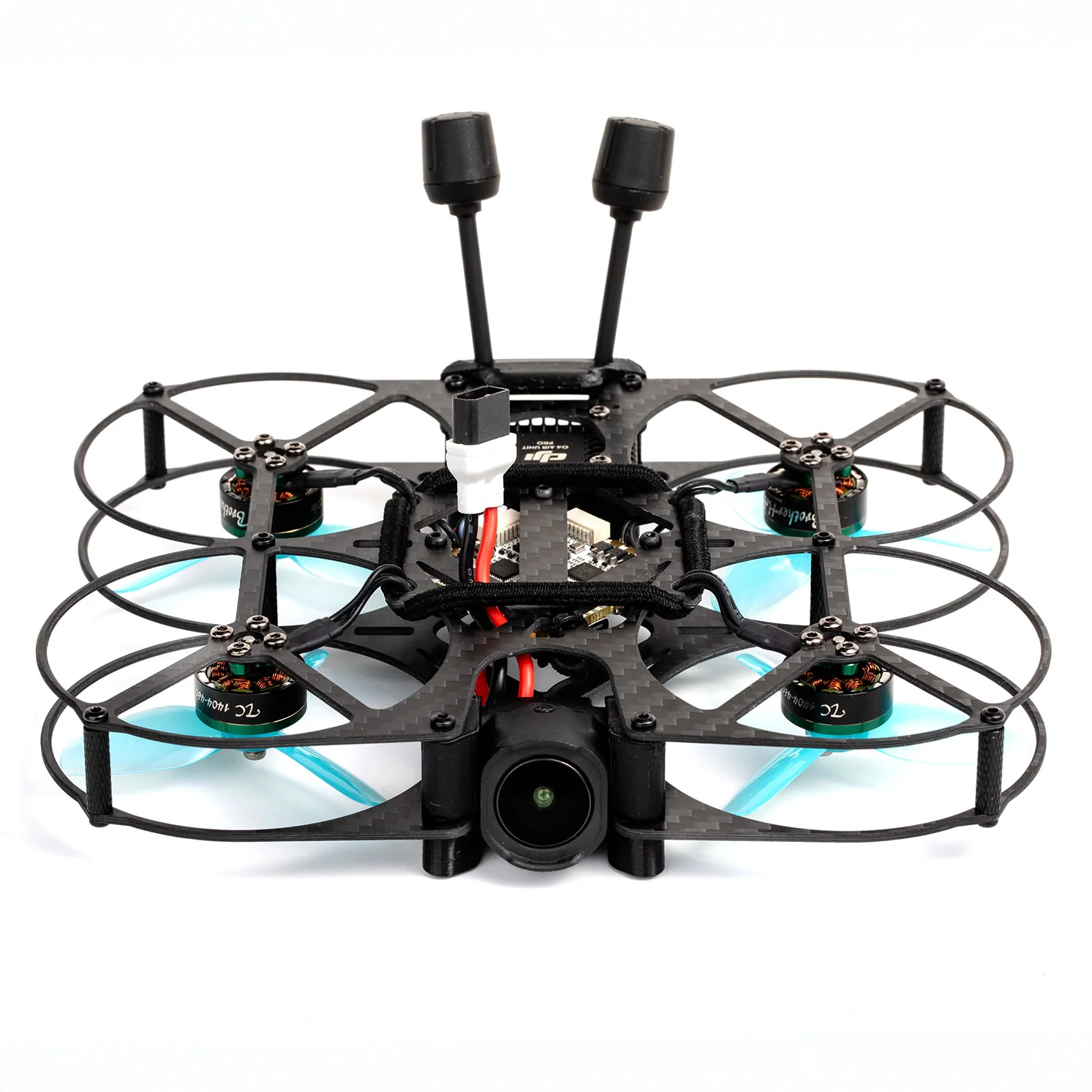
- The FPV Drone (Quad): This is your racing machine, typically a quadcopter with four motors. Racing drones are known for their high power-to-weight ratio, allowing for incredible acceleration and maneuverability.
- FPV Goggles: These are your eyes in the sky, providing the live video feed from the drone's camera. They immerse you completely in the flight experience.
- Radio Transmitter (TX): This is your control stick. You use it to send commands to your drone, controlling its throttle, pitch, roll, and yaw.
- Batteries & Charger: LiPo (Lithium Polymer) batteries are the powerhouses of FPV, offering high discharge rates. A good charger is essential for safe and efficient charging.
- Tools & Accessories: Spare props, basic tools, and perhaps a soldering iron will become your best friends.
Why FPV Racing is the Ultimate Skill Challenge
FPV racing isn't just a hobby; it's a discipline that hones a unique set of skills. You'll develop incredible hand-eye coordination, lightning-fast reflexes, spatial awareness, and problem-solving abilities. Unlike flying a DJI Mavic, where the drone does most of the heavy lifting, an FPV racing drone requires constant, precise input to stay airborne and on course. It's a true test of pilot skill, making every successful flight incredibly rewarding.
The Absolute Essentials: Gear You'll Need to Get Started
Getting started can feel overwhelming with the sheer amount of gear available. Let's break down the absolute essentials for a beginner.
Your Viewport: FPV Goggles Explained
FPV goggles are arguably the most crucial piece of gear for immersion. They come in two main types:
- Box Goggles: These are generally more affordable and offer a wider field of view. They look like a small box you strap to your face. Excellent beginner options include the Eachine EV800D or Skyzone Cobra X, offering decent screens and built-in diversity receivers for better signal.
- Compact Goggles: These are smaller, lighter, and often more expensive, resembling a pair of ski goggles. They typically have two smaller screens (one for each eye). Popular high-end options like the Fat Shark Dominator HDO2 or Orqa FPV.One Pilot offer premium features, but for beginners, box goggles are a fantastic entry point.
Analog vs. Digital: Most beginner systems still use analog video, which is affordable and robust. However, digital FPV systems like DJI O3 Air Unit or Walksnail Avatar offer crystal-clear HD video, but come at a significantly higher cost. For starting out, analog is perfectly fine and often recommended.
Your Command Center: The Radio Transmitter
This is your connection to the drone. Your radio transmitter (often called a "TX" or "controller") needs to be comfortable in your hands and offer precise controls.
- Mode 2: This is the most common stick configuration for FPV, where the left stick controls throttle and yaw, and the right stick controls pitch and roll.
- Popular Beginner Radios:
- Radiomaster Zorro: A compact, gamepad-style radio that's very popular for its ergonomics and multi-protocol support (allowing it to bind to many different receiver types).
- Radiomaster Pocket: An even more compact and budget-friendly option, perfect for portability.
- Jumper T-Lite V2: Another compact, highly capable radio for its price point.
When choosing a radio, consider the internal RF module (e.g., ELRS, 4-in-1, CC2500). ELRS (ExpressLRS) is currently the gold standard for long range, low latency, and reliability in FPV, making it a highly recommended choice for your first radio.
The Heart of the Race: Your First FPV Drone (RTF vs. BNF)
For beginners, the drone choice often comes down to two categories:
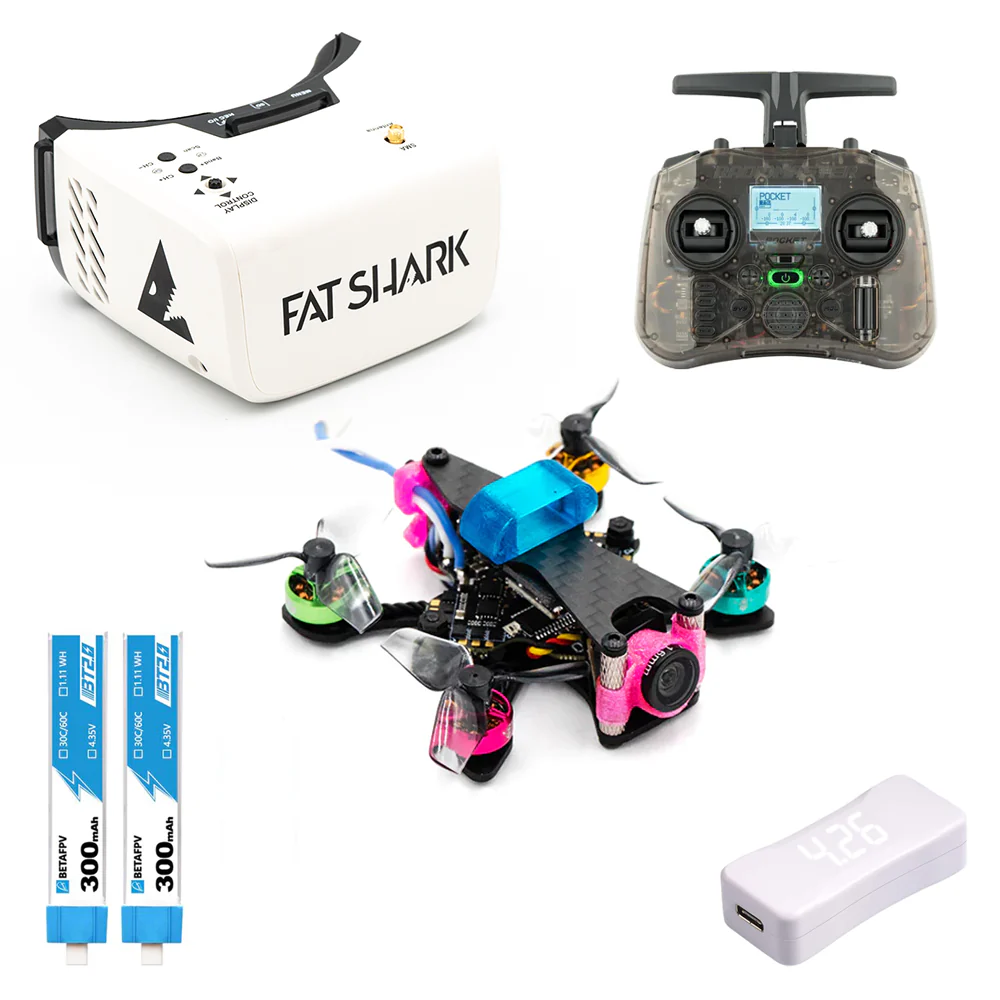
- RTF (Ready-To-Fly) Kits: These kits include everything you need to get started: a drone, goggles, and a radio. They are designed for absolute beginners and are often pre-bound and configured.
- Pros: Easiest way to start, no assembly or complex setup.
- Cons: Components might not be top-tier, less flexibility for upgrades.
- BNF (Bind-N-Fly) Drones: These drones come fully assembled but without a radio or goggles. You'll need to bind them to your existing radio.
- Pros: Allows you to choose your preferred radio and goggles, often higher quality components than RTF kits.
- Cons: Requires you to have a radio and goggles already, and a basic understanding of binding.
Recommended Beginner Drones:
- Tiny Whoops (65mm-75mm): Small, indoor-friendly drones like the Mobula7 or BetaFPV Meteor75. These are excellent for learning the basics in a safe environment, as they are less likely to cause damage.
- 3-inch or 2.5-inch Micro Quads: Slightly larger and more powerful, suitable for both indoor and outdoor flight (in calm conditions). Examples include the Tinyhawk III Plus Freestyle or Cinebot30. These offer a more "real" FPV experience without the intimidating speed of a full 5-inch racer.
Powering Your Passion: Batteries, Chargers, and Accessories
- LiPo Batteries: These are crucial. For Tiny Whoops, you'll likely use 1S batteries (e.g., 300-650mAh). For 3-inch quads, 2S-4S batteries are common (e.g., 450-850mAh). Always buy reputable brands like GNB or Tattu R-Line.
- Safety Tip: Always store LiPo batteries in a fire-retardant bag (LiPo bag) and never charge them unattended.
- LiPo Charger: A good balance charger is essential. Chargers like the ToolkitRC M4AC or iSDT Q6 Nano are popular and can charge various cell counts safely.
- Spare Propellers: You will break props. Buy plenty!
- Basic Tools: A small screwdriver set and perhaps a prop removal tool are invaluable.
Mastering the Digital Skies: Why Simulators Are Non-Negotiable
This is perhaps the single most important piece of advice for any aspiring FPV pilot: start with a simulator.
The Simulator Advantage: Learn Without Crashing (Your Wallet)
FPV racing has a steep learning curve. Crashing a real drone repeatedly can quickly become an expensive and frustrating endeavor. Simulators allow you to practice endlessly, experiment with maneuvers, and develop muscle memory without fear of breaking your gear. You can crash a thousand times, hit the reset button, and instantly be back in the air, ready to try again. This significantly speeds up your learning process and saves you money.
Top FPV Simulators for Beginners
You'll connect your FPV radio transmitter directly to your computer (usually via USB) to control the drone in the simulator, providing a hyper-realistic training experience.
- VelociDrone: Highly realistic physics, excellent for racing practice, and has a wide variety of tracks. Many professional racers use VelociDrone for training.
- DRL Simulator (Drone Racing League): Good physics, very competitive, and often features tracks from the actual DRL season. Great for competitive practice.
- Liftoff: Excellent graphics and a more relaxed, freestyle-focused environment, though it also has racing tracks. Good for exploring and getting a feel for different environments.
- Uncrashed: Known for its highly realistic physics and beautiful open-world maps.
Essential Simulator Drills for Rapid Skill Development
Dedicate at least 10-20 hours (or more!) to simulator practice before attempting your first real flight. Focus on these drills:
- Hovering and Orientation: Practice hovering in one spot, then slowly moving forward, backward, left, and right, maintaining a consistent altitude. Learn to control the drone when it's facing away from you, then towards you, and then sideways.
- Figure Eights: Start wide, then gradually tighten your turns. This helps develop smooth yaw and roll coordination.
- Gate Practice: Fly through simple gates, focusing on entering and exiting cleanly. Start with large, easy gates, then progress to smaller, tighter ones.
- Track Laps: Once comfortable with gates, try flying complete laps on a simple track. Focus on consistent lines and throttle management.
- Throttle Control: Practice maintaining a consistent altitude while flying through varying terrain, using only small, precise throttle adjustments.
From Simulator to Sky: Your First Real-World Flights
After countless hours in the simulator, you're ready for the real thing! But don't rush. Take your time, prioritize safety, and remember that real flight feels different.
Setting Up Your First Drone: Binding and Basic Configuration
If you bought an RTF kit, much of this might be pre-done. If you have a BNF drone, you'll need to:
- Bind Your Radio to Your Drone: This connects your transmitter to the drone's receiver. The process varies depending on your radio and receiver protocol (e.g., ELRS, FrSky). Follow your specific product manuals carefully.
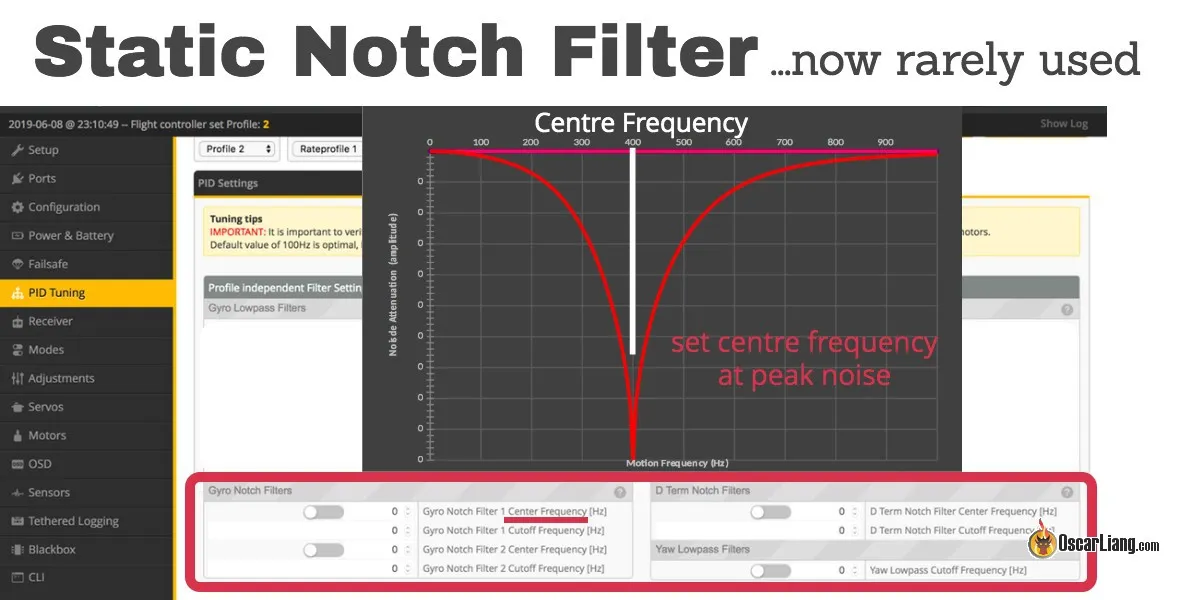
- Connect to Betaflight Configurator: Most FPV drones run on Betaflight firmware. Connect your drone to your computer via USB, open Betaflight Configurator, and ensure all your stick inputs are registering correctly on the "Receiver" tab. Check that your switches for arming and flight modes are working.
- Perform a Motor Test (CAUTION!): With props off, carefully test each motor individually in Betaflight to ensure they spin correctly.
- Initial Flight Mode Setup: For your very first flights, ensure you have Angle Mode configured on a switch. This mode self-levels the drone and is much easier for beginners.
Crucial Safety Checks and Flying Etiquette
Before every flight, perform these checks:
- Propellers: Are they on correctly (front left CW, front right CCW, etc.)? Are they tight? Are they damaged?
- Battery: Is it fully charged? Is it securely strapped to the drone?
- Antennas: Are your VTX (video transmitter) and receiver antennas securely attached and not damaged?
- Clear Area: Fly in a large, open, unpopulated area. Stay away from people, animals, and private property.
- Spotter: Ideally, have a friend act as a spotter, keeping an eye on your drone while you're in your goggles.
- Local Regulations: Be aware of local drone regulations regarding flight zones, altitude limits, and registration requirements. In Turkey, for example, drones over 500g generally require registration.
Your Maiden Voyage: Gentle Hovers and Controlled Movements
Your first real flight will feel different from the simulator – the sounds, the wind, the slight latency.
- Arming: Flip your arming switch (usually a two-position switch). The motors will spin slowly.
- Gentle Liftoff: Slowly increase throttle until the drone lightly lifts off the ground.
- Hover: Practice hovering at eye level. Make small, precise stick movements. Don't fight the drone; let it drift slightly and make corrections.
- Controlled Movements: Once comfortable hovering, try gentle forward and backward movements, then side-to-side. Keep it low and slow.
- Disarming: Land gently and disarm your drone immediately.
Pilot Tip: Your first few battery packs will likely be short, maybe only 30 seconds to a minute of actual flight time. That's perfectly normal! Focus on controlled takeoffs and landings.
Developing Your Pilot Skills: Basic Techniques for Racing
Once you're comfortable with basic flight, it's time to refine your skills for racing.
Understanding Flight Modes: Angle vs. Acro
- Angle Mode (Self-Leveling): When you release the sticks, the drone automatically levels itself. This is excellent for beginners as it provides stability and prevents you from flipping over unintentionally. It's like having training wheels.
- Acro Mode (Rate Mode): This is the mode for racing. The drone does not self-level. When you move a stick and release it, the drone will hold that angle until you give an opposing input. This provides full control and allows for advanced maneuvers, but it requires constant stick input.
Pilot Tip: Start in Angle mode to get a feel for real flight. However, transition to Acro mode in the simulator as soon as possible. You'll never be a true FPV racer without mastering Acro. Many pilots recommend spending 90% of your simulator time in Acro, even as a beginner.
Throttle Management: The Key to Smooth Flying
Throttle control is paramount in FPV racing. It's not just about going fast; it's about managing your altitude and speed precisely.
- Consistent Altitude: Practice maintaining a specific height, especially through gates.
- Punch Outs & Dips: Learn to rapidly increase throttle for bursts of speed (punch outs) and quickly decrease it to drop altitude for dives or tight turns.
- Cornering: Smooth throttle application through turns prevents unwanted altitude changes and allows for cleaner lines.
Basic Maneuvers: Turns, Gates, and Line Management
- Coordinated Turns: Instead of just rolling (right stick left/right), combine roll with a bit of yaw (left stick left/right) to execute smooth, elegant turns. This is crucial for racing lines.
- Gate Entry and Exit: Practice approaching gates squarely, flying through the center, and exiting smoothly to set up for the next obstacle.
- Line Management: In racing, a "line" is the optimal path through a course. Focus on flying the most efficient path, minimizing wasted movement.
Common Beginner Pitfalls and How to Avoid Them
- Flying Too High/Fast Too Soon: This leads to more spectacular crashes and more broken parts. Stay low, stay slow, especially in the beginning.
- Panicking and Mashing Sticks: When things go wrong, new pilots often slam the sticks. Try to remain calm and make small, corrective inputs.
- Ignoring Simulator Practice: Trying to learn exclusively in real life is expensive and slow. The simulator is your best friend.
- Not Checking Batteries: Flying on a low battery can lead to an unexpected loss of power and a crash.
- Bad Prop Direction: Putting props on the wrong way is a classic. Double-check before every flight!
- Forgetting a Spotter: Flying FPV means you can't see your surroundings. A spotter is crucial for safety.
Buyer's Guide: Recommended FPV Racing Starter Kits & Components
Let's look at some specific recommendations to get you flying.
Best All-in-One RTF Kits for Absolute Beginners
If you want the easiest entry point, an RTF kit is the way to go:
- BetaFPV Cetus X RTF FPV Kit: A fantastic option that includes a capable 2S Whoop-style drone, a decent radio (LiteRadio 3), and functional goggles (VR03). It's a great balance of performance and ease of use.
- Happymodel Mobula7 RTF Bundle: While the drone is legendary, the included radio and goggles in the bundle are often very basic. However, the Mobula7 itself is an excellent 1S/2S tiny whoop for indoor and light outdoor flying.
- Eachine Novice-III: Another popular RTF kit that often includes a 3-inch drone, goggles, and radio, offering a step up in power from a tiny whoop.
These kits typically cost between $200-$400, providing excellent value for a complete setup.
Choosing Your First FPV Goggles and Radio Transmitter
If you prefer to build your setup piece by piece (which allows for better quality components):
- Goggles:
- Budget Box Goggles: Eachine EV800D (around $100-120) or Skyzone Cobra X (around $150-200). Both offer built-in diversity receivers for better signal, DVR for recording flights, and are comfortable.
- Entry-Level Digital (if budget allows): Consider the DJI Goggles 2 or DJI Goggles Integra paired with a DJI O3 Air Unit drone. This is a significant jump in cost (often $800+ for goggles and air unit) but offers unparalleled video clarity.
- Radio Transmitter:
- Radiomaster Zorro ELRS: Highly recommended for its ergonomics, versatility, and the superior ELRS protocol (around $100-150).
- Radiomaster Pocket ELRS: A more budget-friendly and compact alternative to the Zorro (around $60-80).
- Jumper T-Lite V2 ELRS: Another excellent compact option with ELRS (around $80-100).
Budgeting for Your FPV Racing Adventure
How much does it cost to get into FPV racing? This is a common question. Here's a rough breakdown:
- Absolute Minimum (RTF Kit): $200 - $400
- Good Starter Setup (Separate Components):
- Radio: $80 - $150 (e.g., Radiomaster Zorro ELRS)
- Goggles: $100 - $200 (e.g., Eachine EV800D / Skyzone Cobra X)
- Drone (BNF Tiny Whoop/Micro): $100 - $250 (e.g., Mobula7 / Tinyhawk III)
- Batteries (4-6): $50 - $100
- Charger: $30 - $80
- Simulator: $20 - $40
- Spare Props/Tools: $20 - $50
- Total: ~$400 - $870
As you can see, you can get started for a reasonable investment, especially if you go the RTF kit route. The costs can quickly escalate as you get into more powerful drones and digital FPV systems.
FPV Racing FAQs
Here are answers to some of the most frequently asked questions by beginners.
How much does it cost to get started in FPV racing?
You can start with an RTF kit for as little as $200-$300. A more robust beginner setup with separate, higher-quality components will typically cost between $400-$700, including a radio, goggles, drone, batteries, charger, and simulator.
Can I learn FPV racing without crashing my drone?
No, not entirely. Crashing is an inevitable part of learning FPV. However, by dedicating significant time to FPV simulators (10-20+ hours recommended) before flying a real drone, you can drastically reduce the number and severity of crashes, saving you money and frustration.
What's the best first drone for FPV racing for a beginner?
For absolute beginners, a Tiny Whoop (like the Mobula7 or BetaFPV Meteor series) is highly recommended. They are durable, safe for indoor flight, and less intimidating. If you want something a bit more powerful for outdoor flight, a durable 2.5-inch or 3-inch micro quad (like the Tinyhawk III Plus Freestyle) is a great next step.
How long does it take to get good at FPV racing?
It varies greatly from person to person. With consistent simulator practice (at least an hour a day) and regular real-world flying, you might be able to fly basic race gates confidently within a few weeks to a couple of months. Becoming truly "good" and competitive can take years of dedicated practice.
Do I need a license or registration to fly FPV racing drones?
Regulations vary significantly by country and region. In Turkey, drones weighing over 500g generally require registration with the Directorate General of Civil Aviation (SHGM). Always check your local aviation authority's rules (e.g., FAA in the US, EASA in Europe, SHGM in Turkey) regarding drone registration, pilot certification, and flight restrictions (e.g., no-fly zones, altitude limits) before flying. It's your responsibility to fly safely and legally.
Your FPV Racing Adventure Awaits!
Congratulations, you've just taken the first crucial steps on your FPV racing journey! We've covered the essentials, from understanding the gear to the critical role of simulators and your first real-world flights.
Recap: Your Roadmap to Becoming an FPV Pilot
- Understand the Basics: Learn what FPV racing is and its core components.
- Gather Your Gear: Invest in a beginner-friendly radio, goggles, drone (RTF kit or BNF), batteries, and charger.
- Master the Simulator: This is non-negotiable for rapid, cost-effective skill development.
- Fly Safely: Start slow, stay low, understand your local regulations, and always prioritize safety.
- Practice Consistently: Develop your skills from Angle to Acro mode, focusing on throttle control and smooth maneuvers.
Next Steps: Join the Community and Keep Practicing!
The FPV community is incredibly welcoming and helpful. Join online forums, Discord servers, and local FPV groups. Watch YouTube tutorials from experienced pilots like Joshua Bardwell or Mr Steele. Learn from others, share your experiences, and don't be afraid to ask questions. Most importantly, keep practicing! Consistency is key to improvement.
Call to Action: Explore Our Recommended Gear and Start Flying Today!
Ready to take the plunge? Check out our curated list of recommended beginner FPV racing gear, complete with links and detailed reviews. Your incredible journey into the world of first-person flight starts now. See you in the skies!
Copyright-safe media generated locally by FPVLovers