Drone Specifications for MultiGP CDRA 2026 Championship
Detailed breakdown of the required drone specifications for the MultiGP CDRA 2026 National Championship, including frame size, battery, propellers, video transmitters, and LED requirements.
Drone Specifications for MultiGP CDRA 2026 Championship
FPV Racing for Beginners: Your Sim to First Race Roadmap
Introduction: Dive into the Thrilling World of FPV Racing!
Are you ready to experience the adrenaline-pumping excitement of FPV drone racing? Imagine soaring through custom tracks at breakneck speeds, navigating gates and obstacles with precision, all from a first-person perspective. This isn't just flying; it's an immersive, high-skill sport that's captivated pilots worldwide.
This comprehensive guide, 'FPV Racing for Beginners: Your Sim to First Race Roadmap,' is designed to take you from a curious beginner to a confident pilot ready for your first casual race. We'll cover everything from essential gear and simulator mastery to fundamental flight skills and finding your local FPV community. Get ready to launch into an incredible hobby!
Understanding FPV Racing: The Basics of High-Speed Drone Flight
What is FPV Drone Racing?
FPV (First Person View) drone racing is a competitive sport where pilots navigate custom-built, high-speed quadcopters through a three-dimensional track. Pilots wear FPV goggles that display a live video feed from a camera mounted on the drone, giving them the sensation of being inside the cockpit. The goal is to complete the course in the fastest time, often involving complex maneuvers, tight turns, and navigating through gates and flags. It combines elements of traditional racing with the unique challenges of aerial acrobatics and precise control.
Why Get Into FPV Racing? The Appeal and Community
The appeal of FPV racing is multifaceted. Firstly, the adrenaline rush is unparalleled. The sensation of speed and control, combined with the immersive FPV view, creates an exhilarating experience. Secondly, it's a sport that demands skill and continuous learning. There's always a new technique to master, a faster line to find, or a drone to tune.
Beyond the thrill, FPV racing boasts an incredibly welcoming and supportive community. From local meetups and online forums to large-scale competitions, pilots are eager to share knowledge, help with builds, and celebrate each other's successes. It's a hobby that fosters camaraderie and provides a platform for both friendly competition and personal growth.
Key Components: Drones, Goggles, and Radio Explained
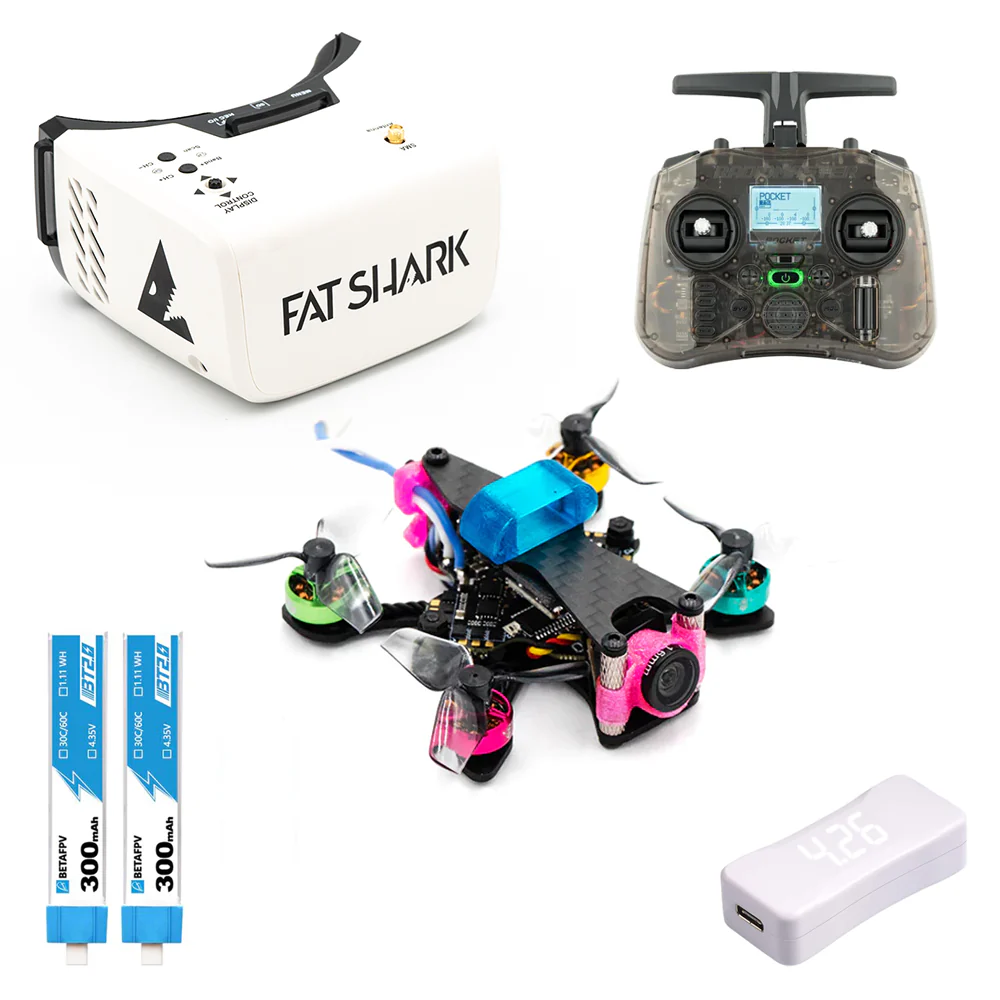
To get started, you'll need three primary pieces of equipment:
- FPV Drone: This is your flying machine. Racing drones are typically small, agile, and robust, designed for speed and maneuverability rather than carrying heavy payloads or long flight times. They come in various sizes, with the most common racing class being 5-inch propeller drones.
- FPV Goggles: These are your "eyes" in the sky. They receive the live video feed from your drone, allowing you to see exactly what the drone's camera sees. Goggles come in analog or digital formats, each with its own advantages.
- Radio Transmitter (TX): This is your controller, your direct link to the drone. It sends your stick inputs wirelessly to the drone's flight controller, translating your commands into flight maneuvers.
Your Essential Toolkit: Gear for Aspiring FPV Racers
Choosing your first set of gear can seem daunting, but let's break it down into manageable steps.
The FPV Radio Transmitter: Your Hands-On Control
Your radio transmitter is the most personal piece of FPV gear, as it's what you'll be holding and interacting with constantly. For beginners, it's crucial to pick a comfortable, reliable radio that supports modern protocols.
- Protocols: Look for radios supporting ELRS (ExpressLRS) or Crossfire (TBS Crossfire). ELRS is currently the most popular, offering excellent range, low latency, and affordability.
- Recommendation for Beginners:
- Radiomaster Zorro: Compact, gamepad-style, excellent ergonomics, and available with built-in ELRS. Great for those who prefer a console controller feel.
- Radiomaster Boxer: A more traditional box-style radio, offering full-size gimbals for precise control and a larger screen. Also available with built-in ELRS.
- Jumper T-Lite V2: A very compact and budget-friendly option, good for starting out, especially if you want something highly portable.
Pro Tip: Most FPV pilots use Mode 2, where the left stick controls throttle and yaw, and the right stick controls pitch and roll. It's highly recommended to learn on Mode 2 as it's the industry standard.
Immersive FPV Goggles: Your Window to the Race
FPV goggles are where the magic happens, giving you that immersive first-person view. You'll primarily choose between analog and digital systems.
- Analog FPV Goggles:
- Pros: More affordable, widely compatible with older drones, lower latency (minimal delay), and generally more forgiving in terms of signal degradation (graceful breakup).
- Cons: Lower resolution, "snowy" image quality in poor signal areas.
- Recommendations: For budget-conscious beginners, box goggles like the Skyzone Cobra X or Eachine EV800D offer a great starting point. They're comfortable and provide a good field of view.
- Digital FPV Goggles:
- Pros: Stunning high-definition video quality, much clearer image, better range and penetration for a clean signal.
- Cons: Significantly more expensive, higher latency (though constantly improving), and signal breakup is often a complete freeze or black screen rather than graceful degradation.
- Recommendations:
- DJI FPV Goggles 2 / Integra / Goggles V2: These are top-tier, offering incredible image quality with DJI's O3 Air Unit system.
- Walksnail Avatar HD Goggles X / Fat Shark Recon HD: Excellent alternatives that provide high-definition video with their respective ecosystems.
- HDZero Goggles: Known for extremely low latency, making them a favorite for serious racers who prioritize responsiveness over absolute image fidelity.
Pilot's Insight: While digital offers superior image quality, starting with analog can be more cost-effective and perfectly adequate for learning. Many simulators also support analog video output.
Choosing Your First FPV Drone: Types and Considerations
The FPV drone world offers a variety of platforms. For racing, you'll mainly consider these types:
- 5-inch Racing Drones:
- What they are: These are the standard for competitive FPV racing, featuring 5-inch propellers and powerful motors. They are fast, agile, and robust.
- Pros: Extreme speed and maneuverability, plenty of power for racing, highly customizable.
- Cons: Can be intimidating for absolute beginners due to their speed and power, require open spaces.
- Recommendation: Many beginners opt for a Bind-N-Fly (BNF) or Ready-To-Fly (RTF) 5-inch drone from brands like iFlight (e.g., Nazgul5 V2) or GEPRC (e.g., Mark5). These come pre-built and often pre-tuned, saving you the complexity of a full build.
- More info: You can find comprehensive shopping lists for 5″ RACING FPV DRONES & PARTS
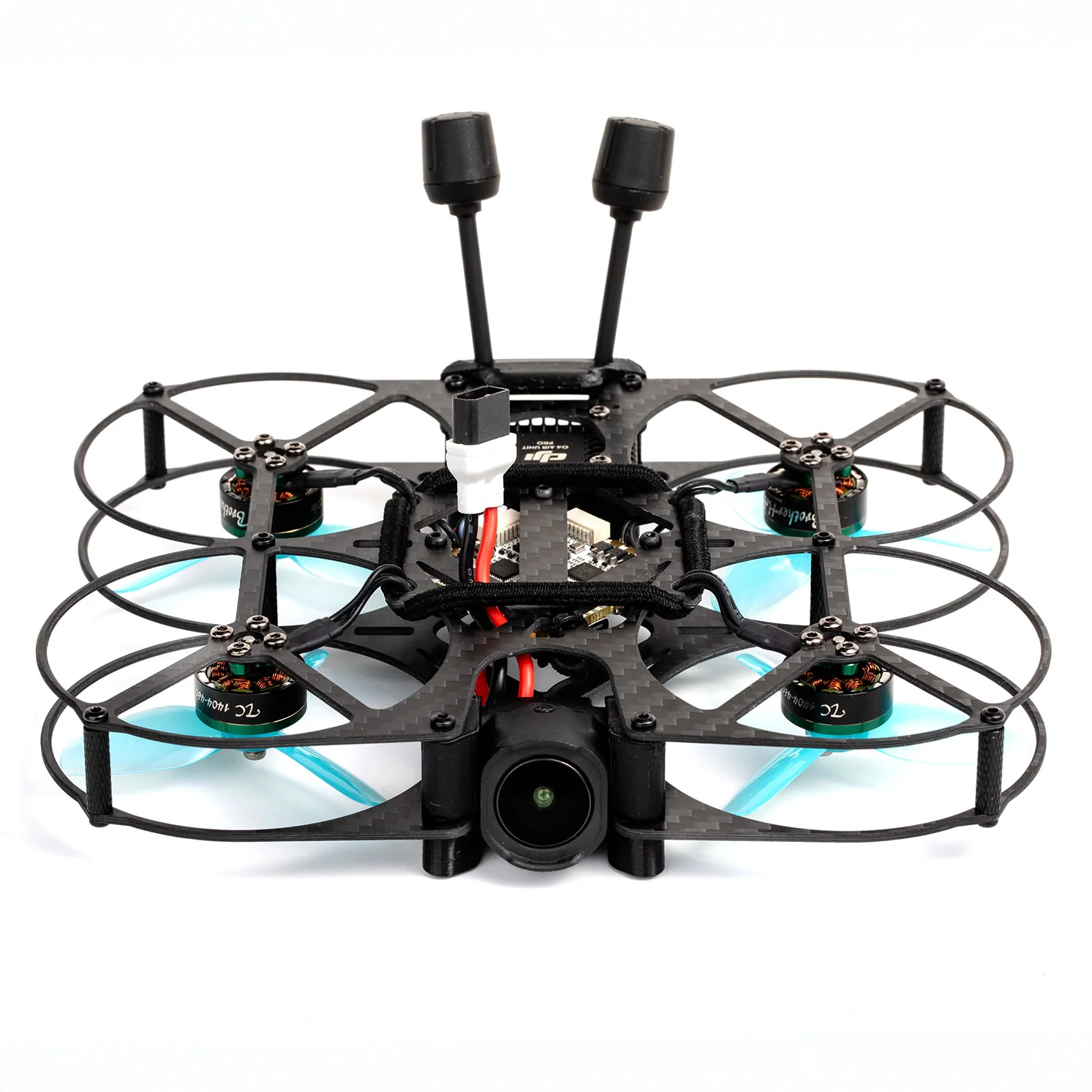
- Tiny Whoop FPV Drones:
- What they are: Small, ducted drones (propellers enclosed) that are incredibly durable and safe to fly indoors.
- Pros: Perfect for indoor practice, very forgiving, can be flown in small spaces without much risk, great for learning basic controls.
- Cons: Slower, less powerful, not suitable for outdoor racing.
- Recommendation: A BetaFPV Meteor75 or Happymodel Mobula7 are excellent choices.
- More info: For more details, check out TINY WHOOP FPV DRONES & PARTS.
- Toothpick FPV Drones:
- What they are: Lightweight, open-propeller drones, typically 2-3 inches, bridging the gap between Tiny Whoops and 5-inch drones.
- Pros: Good outdoor performance in light wind, more agile than Whoops, still relatively durable, great for learning flow and lines.
- Cons: Less powerful than 5-inch, can be tricky to tune for beginners.
- Recommendation: Brands like Happymodel (e.g., Crux3) or GEPRC (e.g., Phantom) offer good options.
- More info: A shopping list is available for TOOTHPICK FPV DRONES & PARTS.
Beginner's Path: Many pilots start with a Tiny Whoop to master basics indoors, then move to a simulator, and finally to a 5-inch for outdoor racing.
Batteries, Chargers, and Other Must-Have Accessories
- LiPo Batteries: You'll need multiple LiPo (Lithium Polymer) batteries. For a 5-inch drone, common sizes are 4S (14.8V) or 6S (22.2V) with capacities around 1300mAh to 1500mAh. Look for a high "C-rating" (e.g., 75C, 100C) which indicates how much current the battery can safely discharge.
- LiPo Charger: A good smart charger is essential for safety and battery longevity. Brands like ISDT (e.g., Q6 Nano) or HTRC offer reliable options that can balance charge multiple battery types.
- Propellers: Buy plenty of spares! Props break often, especially when learning.
- Tools: A basic toolkit with hex drivers, pliers, and zip ties will be invaluable for repairs.
- Battery Checker: A small device to check individual cell voltages is a must-have to monitor battery health.
- LiPo Bag: Store and charge your LiPo batteries in a fire-resistant bag for safety.
Mastering the Virtual Skies: The Power of FPV Simulators
Why Simulators Are Your Best Friend for Learning FPV
Before you even think about flying a real drone, FPV simulators are absolutely critical. They allow you to:
- Learn Without Risk: Crash thousands of times without damaging expensive gear.
- Develop Muscle Memory: Train your hands and brain to react instinctively to drone movements.
- Practice Specific Skills: Rehearse gates, turns, and racing lines repeatedly.
- Experiment: Try different drone setups, rates, and camera angles.
- Save Money: The cost of a good simulator is a fraction of replacing broken drone parts.
Top FPV Racing Simulators for Beginners
Connect your FPV radio transmitter to your computer via USB (most modern radios act as a joystick) and dive into these popular simulators:
- Velocidrone: Widely regarded as having the most realistic physics, making it a favorite among professional racers. Excellent for honing race lines and precise control.
- DRL Simulator (Drone Racing League Sim): Features real-world DRL tracks, great graphics, and a structured training program. Good for competitive practice.
- Liftoff: Offers beautiful graphics, a wide variety of drones and environments, and a good balance of realism and accessibility. Great for exploring and casual flying.
- Uncrashed: Known for its stunning visuals and immersive environments, providing a very cinematic feel while still offering solid physics.
Pilot's Insight: Spend at least 20-50 hours in a simulator before attempting your first real flight. Consistency is key – even 15-30 minutes a day is more effective than one long session a week.
Effective Simulator Practice Routines and Drills
- Basic Hovering: Start by just taking off, holding a stable hover, and landing smoothly. Practice moving forward, backward, left, and right while maintaining altitude.
- Figure Eights: Learn to smoothly transition between turns by flying in a figure-eight pattern around two imaginary points. Focus on consistent throttle and banking.
- Gate Practice: Set up a simple track with a few gates. Practice flying through them slowly, then gradually increase speed. Focus on finding the optimal "racing line."
- Power Loops & Rolls: Once comfortable with basic control, start practicing more advanced maneuvers like power loops (going over an obstacle) and rolls.
- Specific Tracks: Many simulators have pre-built racing tracks. Choose one and try to improve your lap times. Don't just go fast; focus on smoothness and consistency first.
From Box to Flight: Setting Up Your First FPV Racing Drone
Basic Drone Assembly and Component Overview
If you bought an RTF or BNF drone, much of the assembly is done. However, it's good to understand the core components:
- Flight Controller (FC): The "brain" of the drone, running firmware like Betaflight, Silverware, or ArduPilot. It takes inputs from your radio and sensors, then tells the ESCs what to do.
- ESCs (Electronic Speed Controllers): These receive commands from the FC and regulate power to the motors.
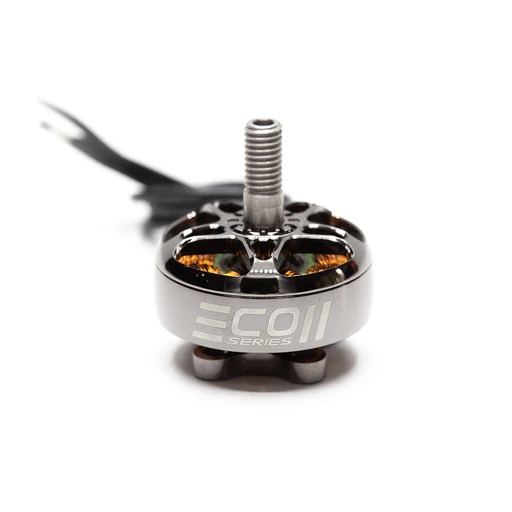
- Motors: The spinning heart of your drone.
- VTX (Video Transmitter): Sends the camera's video feed wirelessly to your FPV goggles.
- FPV Camera: The drone's "eyes."
- RX (Receiver): Receives commands from your radio transmitter.
Your primary task will likely be mounting propellers correctly (check rotation direction!), ensuring antennas are secure, and performing initial setup.
Binding Your Radio Transmitter and Initial Flight Controller Setup
- Binding: This is the process of linking your radio transmitter to your drone's receiver. The exact steps vary by protocol (ELRS, Crossfire, etc.), but generally involve putting both into a "bind mode." For ELRS, you'll often use a "binding phrase" entered into both your radio's firmware and Betaflight.
- Betaflight Configuration (for most FPV drones):
- Connect your drone to your computer via USB.
- Open Betaflight Configurator (a free software).
- Firmware Flash: Ensure your FC is running the latest stable Betaflight firmware.
- Ports Tab: Configure your receiver (e.g., Serial RX on a specific UART for ELRS/Crossfire).
- Configuration Tab: Set DSHOT protocol for ESCs, set accelerometer calibration.
- Receiver Tab: Verify your stick inputs are correctly registered (Pitch, Roll, Yaw, Throttle).
- Modes Tab: Set up your "Arm" switch (essential safety!), "Angle" or "Acro" mode switch, and optionally a "Beeper" or "Flip Over After Crash" switch.
- Save and Reboot: Always save your changes!
Safety First: NEVER arm your drone indoors with propellers on unless you are absolutely confident in your setup and have removed the propellers for testing. Always remove props when configuring or flashing firmware.
Your First Steps: Arming, Takeoff, and Gentle Hovers
- Find an Open Space: A large, empty field, away from people and obstacles.
- Safety Check: Ensure props are on correctly, battery is fully charged and secured, and nothing is obstructing the motors.
- Arming: Flip your designated arm switch. The drone's motors will likely spin up slowly (idle throttle).
- Gentle Throttle: Slowly and smoothly increase throttle. The drone will start to lift.
- Hovering: Aim to hold a stable hover about 1-2 meters off the ground. Make small, precise adjustments with your pitch, roll, and yaw sticks to maintain position.
- Landing: Slowly reduce throttle until the drone gently touches down. Disarm immediately after landing.
Pilot's Insight: Your first real flight will feel very different from the simulator. Be patient, take it slow, and don't be afraid to disarm if you feel overwhelmed. Short, controlled flights are better than long, chaotic ones.
Developing Your Skills: Flight Fundamentals and Racing Lines
Core Flight Controls: Pitch, Roll, Yaw, and Throttle Explained
- Throttle (Left Stick Up/Down - Mode 2): Controls the power to the motors, dictating altitude. More throttle = go up, less throttle = go down.
- Yaw (Left Stick Left/Right - Mode 2): Rotates the drone horizontally around its center axis. Left yaw = spin left, right yaw = spin right.
- Pitch (Right Stick Up/Down - Mode 2): Tilts the drone forward or backward. Pitch forward = go forward, pitch backward = go backward.
- Roll (Right Stick Left/Right - Mode 2): Tilts the drone sideways. Roll left = go left, roll right = go right.
Acro Mode: For racing, you will primarily fly in Acro Mode (also called Rate Mode). In Acro, the drone does not self-level. It holds its last commanded angle. This gives you full, precise control over the drone's orientation, which is crucial for advanced maneuvers and maintaining speed through turns. Angle Mode (which self-levels) is good for initial hovers but quickly becomes limiting for racing.
Navigating Gates and Mastering Basic Turns
- Smooth Inputs: The key to fast, clean flying is smooth, controlled stick inputs. Avoid jerky movements.
- Looking Ahead: In your goggles, try to look ahead of your drone, not just directly in front. This gives you more time to react.
- Gate Entry and Exit: Approach gates smoothly. Often, you'll want to slightly angle your drone for a clean entry, then power through and straighten out on exit.
- The Racing Line: This is the imaginary path that allows you to complete a section of the track as quickly as possible. It often involves taking wide turns, hitting the apex (the innermost point of a turn), and maintaining momentum. Practice different lines in the simulator.
Essential Racing Tips and Tricks for Speed and Control
- Throttle Management: Don't just go full throttle everywhere. Learn to feather the throttle to control speed, especially through corners and when recovering from dives.
- Momentum Conservation: Hard braking or sudden changes in direction waste energy. Try to maintain momentum and use smooth, arcing turns.
- Camera Angle (Tilt): Most racing drones have a steeply angled camera (25-45 degrees or more). This allows you to see forward when pitched over at high speed. Start with a lower angle and gradually increase it as you get faster.
- Prop Wash: Be aware of prop wash – turbulence created by your own propellers. Flying through your own prop wash can cause the drone to wobble. Learn to avoid it, especially in tight turns.
- Don't Be Afraid to Crash (in Sim!): Push your limits in the simulator. It's the best place to find out what you and your drone are capable of.
Beyond the Simulator: Preparing for Your First Race Experience
Finding Your Local FPV Community and Practice Spots
- Online Forums & Social Media: Search Facebook groups for "FPV [Your City/Region]" or "Drone Racing [Your Country]". Websites like Rotor Riot often list local clubs.
- Local Hobby Shops: Ask at your local RC or hobby store; they often know about local groups.
- YouTube & FPV Events: Watch for FPV events or meetups advertised online.
- Practice Spots: Start in a very large, open field with no people or obstacles. As you gain confidence, you might find designated FPV parks or open areas approved for drone flight. Always respect local regulations and private property.
Preparing for Your First Casual Race Day
- Charge Everything: All your LiPo batteries (drone and goggles), your radio.
- Pack Spares: Propellers (lots!), zip ties, spare battery straps, basic tools (hex drivers, small pliers).
- Know Your Frequencies: Before you fly, especially in a group, you'll need to know how to select a clear video frequency (channel) for your VTX. Most events use a frequency band manager or a designated race director to prevent interference.
- Comfort: Bring water, snacks, a comfortable chair, and sun protection. Racing can be mentally draining!
- Don't Stress: Your first race is about learning, not winning. Focus on completing laps cleanly and safely.
Race Day Etiquette and Learning from Fellow Pilots
- Frequency Management: This is paramount. Never power on your drone without checking with the race director or other pilots to ensure you're on a clear channel. "Powering up on someone" means you've interfered with their video feed, which is a serious no-no.
- Spotters: In many races, you'll have a spotter who watches your drone in the air and guides you if you lose video or crash. Be a good spotter for others when it's your turn.
- Ask Questions: Don't be shy! FPV pilots are usually very helpful. Ask about drone setups, flight lines, or troubleshooting.
- Help Others: If someone crashes, offer a hand to find their drone.
- Have Fun: Remember why you started – for the thrill of flight and the community!
FPV Racing FAQs
How difficult is FPV racing to learn for a beginner?
FPV racing has a steep but rewarding learning curve. It requires significant practice, especially with a simulator, to develop the necessary muscle memory and hand-eye coordination. However, with dedication, most beginners can be flying confidently in Acro mode within a few weeks to months, and ready for their first race within a few months to a year.
What's the typical cost to get started with FPV racing?
The cost can vary widely:
- Simulator Only: €20-€50 (for software) + €50-€150 (for a basic radio). Total: €70-€200.
- Budget Analog Setup (Radio, Goggles, Tiny Whoop): €250-€500.
- Entry-Level 5-inch Analog Racing Drone Setup (Radio, Goggles, BNF 5-inch, Batteries/Charger): €500-€900.
- Entry-Level 5-inch Digital Racing Drone Setup (Radio, Digital Goggles, BNF 5-inch, Batteries/Charger): €800-€1500+.
Remember, this is an initial investment. You'll also incur costs for spare parts (props are a given!) and additional batteries over time.
Can I build my own FPV racing drone as a beginner?
Yes, you absolutely can! Many pilots start by building their own drones. It's a fantastic way to learn about electronics, soldering, and troubleshooting. However, for an absolute beginner, starting with a Ready-To-Fly (RTF) or Bind-N-Fly (BNF) kit is often recommended. This allows you to focus on learning to fly first, then dive into building once you understand the components better.
What's the best way to practice FPV racing effectively?
- Consistent Simulator Practice: 15-30 minutes daily is more effective than one long session weekly. Focus on drills: hovering, figure-eights, gate navigation, and specific track practice.
- Start Slow: In both simulator and real life, master slow, controlled movements before attempting high speeds. Smoothness leads to speed.
- Analyze Your Flights: Many simulators offer replays. Watch your lines, identify mistakes, and try to correct them.
- Watch Pros: Observe how experienced pilots fly. Analyze their racing lines, throttle management, and stick inputs.
- Fly a Tiny Whoop: These small, durable drones are excellent for practicing basic maneuvers and developing "flow" in a low-consequence environment.
- Seek Feedback: If you're part of a local group, ask experienced pilots to watch your flying and offer advice.
Conclusion: Your FPV Racing Journey Begins Now!
You've now got the roadmap to embark on your FPV racing adventure, from understanding the gear to mastering the simulator and preparing for your first real-world race. The FPV community is vibrant and welcoming, eager to share the thrill of flight.
The journey from a beginner to a confident FPV racer is one of dedication, practice, and a passion for flight. There will be crashes, frustration, and moments of triumph. Embrace it all! Don't wait! Grab your simulator, start practicing, and take the first step towards becoming an FPV racing pilot. The skies are calling!
Copyright-safe media generated locally by FPVLovers